REFERENCE
- Gallery page: https://magpui.com/en/i/pixel-duel-loading-bar-caceb6
- First frame (image): https://dnioievkvxejjbxgwvko.supabase.co/storage/v1/object/public/media/pixel-duel-loading-bar-caceb6/shot.jpg
- Clip (mp4): https://dnioievkvxejjbxgwvko.supabase.co/storage/v1/object/public/media/pixel-duel-loading-bar-caceb6/clip.mp4
- Original post: https://x.com/ozzyxs1a/status/2096799298243445098 by @ozzyxs1a
Before building, download the first frame and look at it. If ffmpeg is available, download the clip and extract frames (ffmpeg -i clip.mp4 -vf fps=2 frame-%02d.png), then study the motion frame by frame. Match what you see; the text below describes it, the frames are the truth.

BUILD
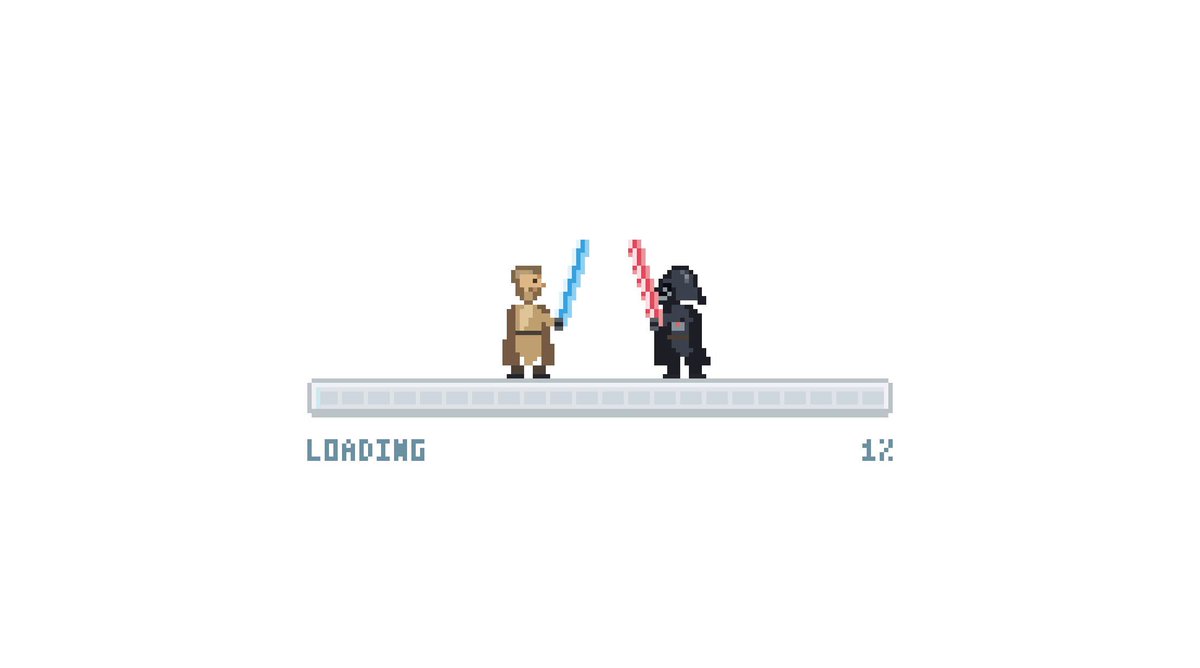
A loading indicator: a segmented pixel progress bar with LOADING and a percentage under it, and two tiny pixel fighters standing on top, clashing glowing swords as progress advances. States: loading, retrying (one gets knocked back), success (both bow).

DESIGN SYSTEM
- Background white; bar 240px with 2px grey border and blue segments #5B8DEF; pixel font 10px.
- Fighters 24px tall sprites, swords blue #60A5FA and red #EF4444 with 1px glow.

MOTION
- Sprite animation at 8fps (steps), clash every 600ms with a 2-frame spark.
- Progress segments fill one by one.
- Retrying: red fighter knocks the other back 6px and bar flashes.

SECTIONS
- Fighter sprites.
- Progress bar.
- Label row.

IMPLEMENTATION
- Sprite sheets with CSS steps() animation, image-rendering pixelated; role progressbar with aria-valuenow.
- prefers-reduced-motion: skip the animation and show the end state.

ADAPT TO THE PROJECT
- Reuse the project's existing tokens, components and fonts; map colors to the closest existing tokens.
- Do not copy logos, brand names, characters or artwork from the reference. Use neutral placeholders.

SUCCESS CHECK
- Pixels stay crisp at every scale (integer scaling).
- Progress value matches the real task.
- Use original characters, not existing franchise ones.