REFERENCE
- Gallery page: https://magpui.com/en/i/tactile-purple-button-with-ripple-3edb82
- First frame (image): https://dnioievkvxejjbxgwvko.supabase.co/storage/v1/object/public/media/tactile-purple-button-with-ripple-3edb82/shot.jpg
- Clip (mp4): https://dnioievkvxejjbxgwvko.supabase.co/storage/v1/object/public/media/tactile-purple-button-with-ripple-3edb82/clip.mp4
- Original post: https://x.com/unrootdesign/status/2095546630313304351 by @unrootdesign
Before building, download the first frame and look at it. If ffmpeg is available, download the clip and extract frames (ffmpeg -i clip.mp4 -vf fps=2 frame-%02d.png), then study the motion frame by frame. Match what you see; the text below describes it, the frames are the truth.

BUILD
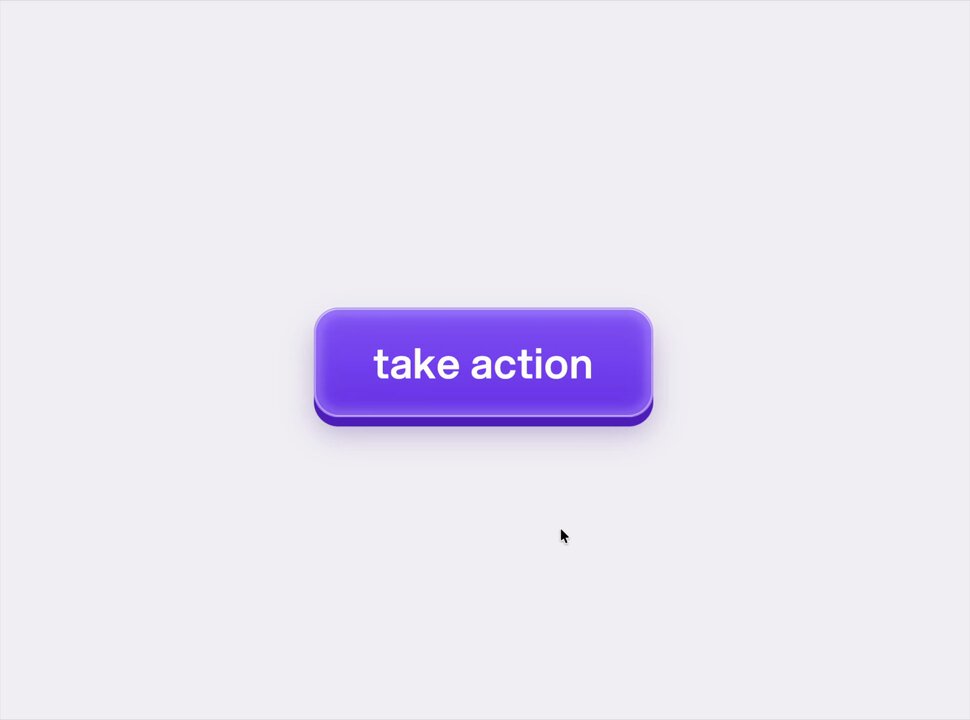
A realistic primary button (take action) with visible thickness: glossy violet top face, darker side, soft shadow. On hover a light follows the cursor; on press the face sinks and a ripple spreads from the pointer.

DESIGN SYSTEM
- Background #EEEEF2; button 240x64, 16px radius, top #8B5CF6 to #7C3AED gradient, 4px bottom side #5B21B6, label 20px white medium.

MOTION
- Hover: radial highlight follows the pointer (CSS variables), 80ms smoothing.
- Press: translateY 3px, side shrinks to 1px, shadow tightens, 90ms; release springs back.
- Ripple: circle from pointer, scale 0 to 2.5, opacity 0.35 to 0, 600ms.

SECTIONS
- Button with top face, side and ripple layer.

IMPLEMENTATION
- Pure CSS with pointer position in CSS variables set by a tiny handler.
- prefers-reduced-motion: skip the animation and show the end state.

ADAPT TO THE PROJECT
- Reuse the project's existing tokens, components and fonts; map colors to the closest existing tokens.
- Do not copy logos, brand names, characters or artwork from the reference. Use neutral placeholders.

SUCCESS CHECK
- Press feels immediate (under 100ms).
- Keyboard Space and Enter show the same press.
- Ripple is clipped to the button shape.