REFERENCE
- Gallery page: https://magpui.com/en/i/soft-light-sweeps-across-a-card-607d07
- First frame (image): https://dnioievkvxejjbxgwvko.supabase.co/storage/v1/object/public/media/soft-light-sweeps-across-a-card-607d07/shot.jpg
- Clip (mp4): https://dnioievkvxejjbxgwvko.supabase.co/storage/v1/object/public/media/soft-light-sweeps-across-a-card-607d07/clip.mp4
- Original post: https://60fps.design/shots/revolut-single-use-pulse-card-sweep-morph-animation by Revolut
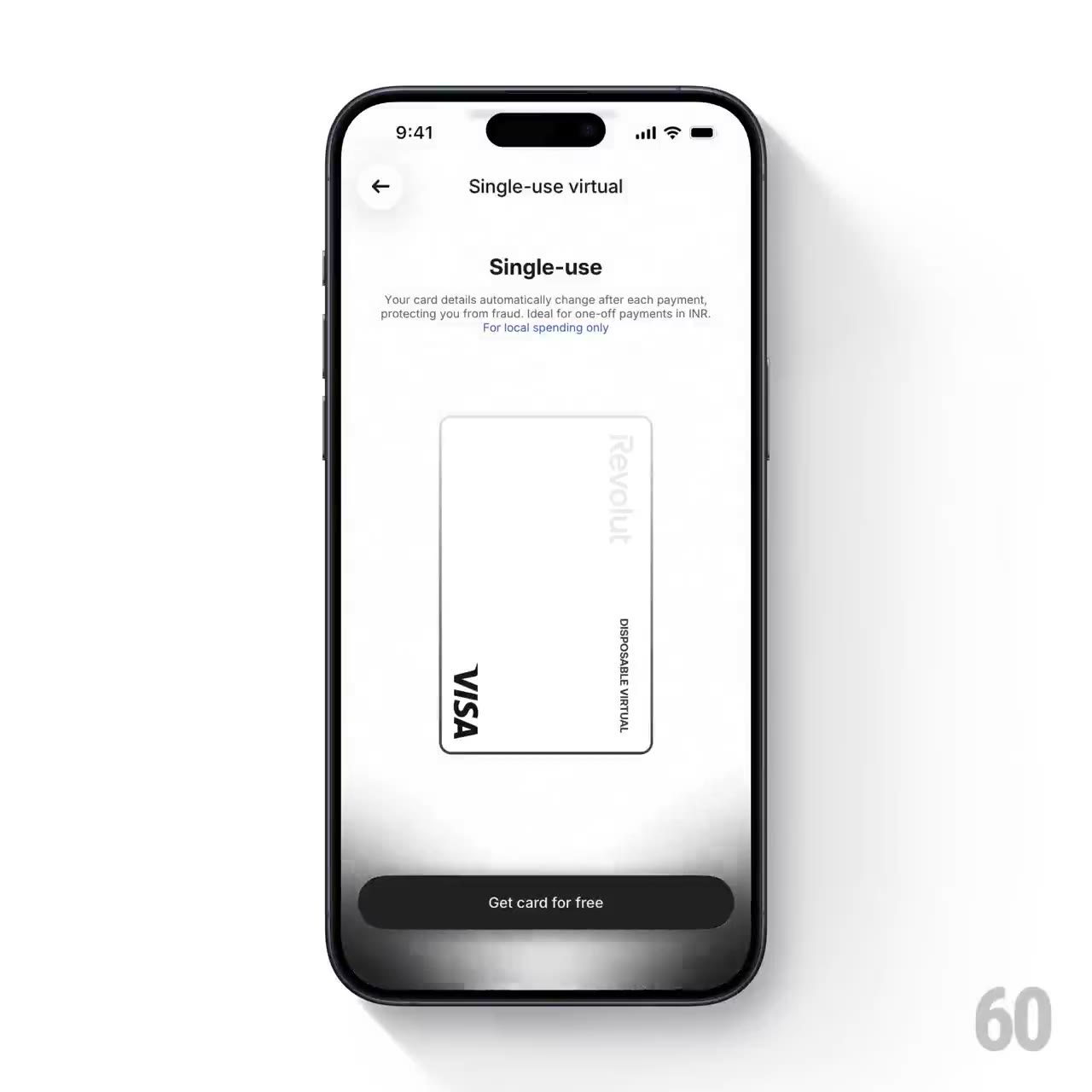
Before building, download the first frame and look at it. If ffmpeg is available, download the clip and extract frames (ffmpeg -i clip.mp4 -vf fps=2 frame-%02d.png), then study the motion frame by frame. Match what you see; the text below describes it, the frames are the truth.

BUILD: Build a restrained ambient-light treatment for a virtual payment card preview. A broad feathered dark band travels upward behind the card while a synchronized silver highlight crosses its surface. The preview returns to a pristine white resting state. Rebuild only this effect and its small preview panel, not a whole banking app or a phone mockup.
DESIGN SYSTEM: Use a white panel around 360px wide with ample negative space. Center a portrait-oriented card approximately 170 by 270px with a thin #B9B9B9 outline, 9px rounded corners and a white-to-silver surface. Add small generic card labels in a neutral sans-serif, 11px, without payment-network logos or brand marks. Above the card, use a centered 20px semibold heading and two lines of 12px gray supporting text. A dark pill-shaped primary button sits below it. Use white #FFFFFF, charcoal #181818 and soft silver #D7D7D7.
MOTION: On preview entry, keep the layout still. After a 900ms pause, translate a broad dark feathered gradient from below the card to above it over approximately 3200ms using cubic-bezier(0.4,0,0.2,1). Fade the gradient in over 500ms and out over 700ms near the end. Synchronize a clipped silver-white reflective band across the card so its lower and upper edges light up as the dark wash passes. Let the interface return completely to white and hold for 1000ms. Play once by default; provide an optional replay rather than an endless attention-seeking loop.
SECTIONS: Centered heading and supporting copy; stationary card preview; clipped highlight overlay; feathered background wash behind the card; primary action; idle, light-sweep and restored states.
IMPLEMENTATION: Use Motion to coordinate transform and opacity on two absolutely positioned gradient layers, with overflow clipping for the card highlight. Keep all lighting layers pointer-events:none and preserve text contrast; do not make the whole panel a GPU-heavy blur animation. Do not move the action or change its hit area. Pause offscreen and cap the effect to the panel. Under prefers-reduced-motion, show the white resting card without any wash. Preserve native button keyboard behavior and a visible focus ring.
ADAPT TO THE PROJECT: Reuse the project existing design tokens, components and fonts and map these color estimates to the closest tokens. Never copy logos, brand names, photos or illustrations from the original; use neutral placeholder labels and generated card numbers.
SUCCESS CHECK:
- The background wash and card sheen move together without moving or resizing any layout element.
- The card returns to a clean white resting state and the action stays legible and clickable.
- Reduced-motion mode shows a static preview and replay remains keyboard accessible.