REFERENCE
- Gallery page: https://magpui.com/en/i/kanban-cards-settle-into-place-a5ffe8
- First frame (image): https://dnioievkvxejjbxgwvko.supabase.co/storage/v1/object/public/media/kanban-cards-settle-into-place-a5ffe8/shot.jpg
- Clip (mp4): https://dnioievkvxejjbxgwvko.supabase.co/storage/v1/object/public/media/kanban-cards-settle-into-place-a5ffe8/clip.mp4
- Original post: https://x.com/a1x45h/status/2119443557119615337 by @a1x45h
Before building, download the first frame and look at it. If ffmpeg is available, download the clip and extract frames (ffmpeg -i clip.mp4 -vf fps=2 frame-%02d.png), then study the motion frame by frame. Match what you see; the text below describes it, the frames are the truth.

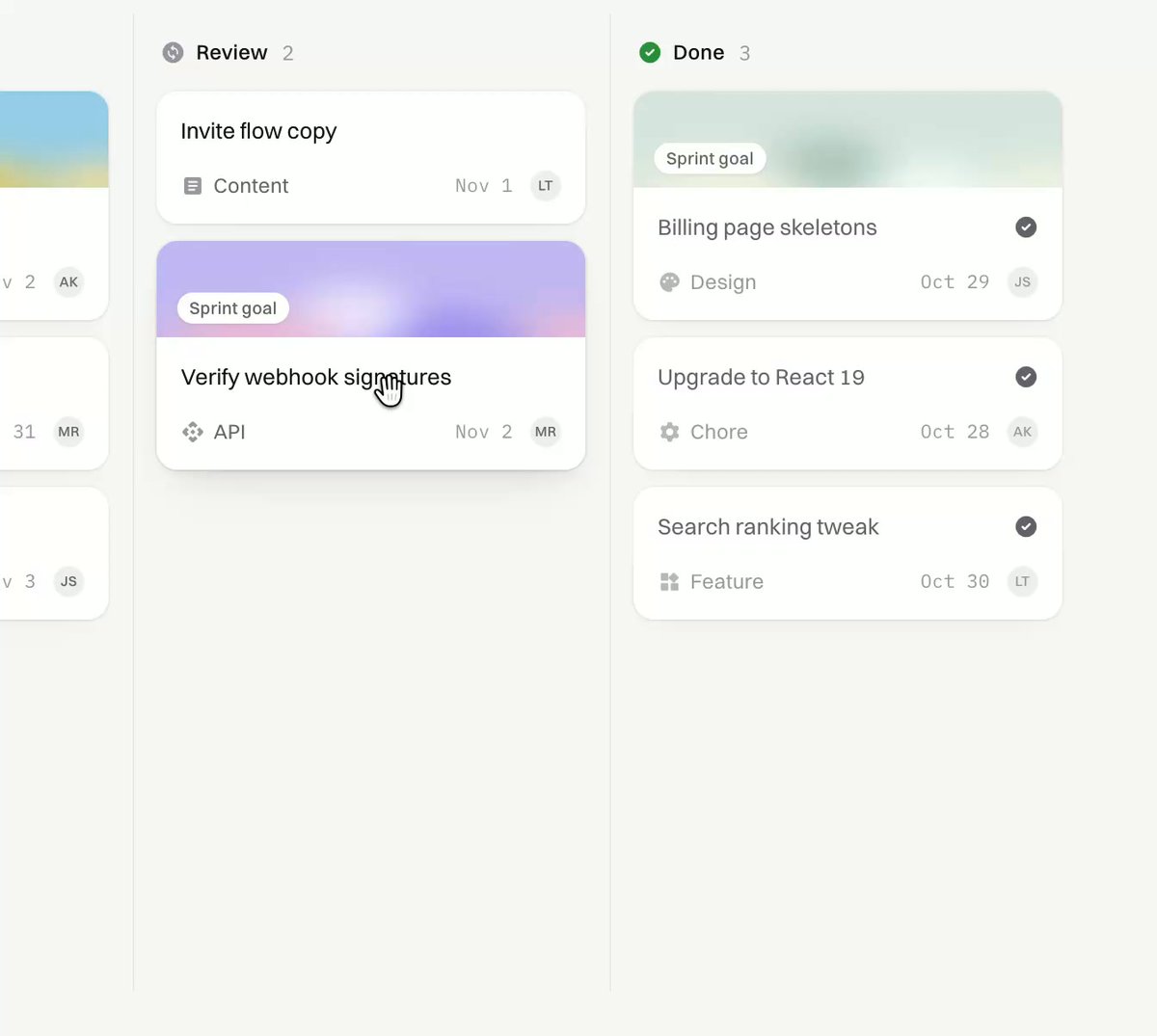
BUILD: Build a compact kanban drag-and-drop interaction with three columns and small task cards. A picked-up card floats above the board with a restrained tilt; neighbouring cards yield to its placeholder and it settles cleanly into its new position. Implement the board fragment only.
DESIGN SYSTEM: Use a warm off-white canvas near #F7F8F4, pale gray-green column surfaces #EEF1EC and white cards approximately 230px wide with 10px corners. Use a neutral sans-serif, 13px task titles and 10px metadata. Give columns 16px gaps and cards 8px vertical separation. A subset of cards has a 48px muted purple or mint gradient header with a small white status pill. Thin neutral borders and a soft 0 6px 16px translucent shadow distinguish the floating card. Keep column headings compact, with a small status icon and live item count.
MOTION: On pointer pickup, raise the card 4px, increase shadow and rotate by at most 3deg over 160ms using cubic-bezier(0.2,0.8,0.2,1). Track pointer movement directly without lag. Keep a pale outlined placeholder at the proposed insertion point. When the insertion index changes, move affected cards to their new positions over 240ms using cubic-bezier(0.22,1,0.36,1). On drop, remove rotation and settle into the slot over 220ms with the same easing; update counts and show a small check mark for a completed card. Do not add confetti or full-page animation.
SECTIONS: Column header and count; compact task cards with optional gradient header, task name, category icon, due date and assignee initials; idle state; lifted drag overlay; placeholder state; cross-column insertion; settled completed state.
IMPLEMENTATION: Use the existing drag-and-drop library if present and Motion layout transforms for neighbouring cards. Keep the dragged overlay separate from document flow, use stable task IDs and update the data model on drop. Supply keyboard pickup with Space, arrow-key movement, Escape cancellation and an aria-live position announcement; preserve focus after drop. Provide touch support and a non-drag move menu. Under prefers-reduced-motion, remove tilt and use immediate layout changes. Animate transform and opacity only and avoid measurements on every pointer event.
ADAPT TO THE PROJECT: Reuse the project design tokens, components and fonts. Map these approximate colors to the closest existing tokens. Never copy logos, brand names, photos or illustrations from the original; use placeholder task data and initials.
SUCCESS CHECK:
- Moving a card across columns leaves a visible insertion placeholder and smoothly displaces neighbours.
- Dropping preserves task order, updates both counts and restores a flat card without a visual jump.
- Keyboard movement, cancellation, touch and reduced-motion behavior remain functional.