REFERENCE
- Gallery page: https://magpui.com/en/i/visibility-chip-with-melting-menu-e2d1b7
- First frame (image): https://dnioievkvxejjbxgwvko.supabase.co/storage/v1/object/public/media/visibility-chip-with-melting-menu-e2d1b7/shot.jpg
- Clip (mp4): https://dnioievkvxejjbxgwvko.supabase.co/storage/v1/object/public/media/visibility-chip-with-melting-menu-e2d1b7/clip.mp4
- Original post: https://x.com/nitishkmrk/status/2110258300495245505 by @nitishkmrk
Before building, download the first frame and look at it. If ffmpeg is available, download the clip and extract frames (ffmpeg -i clip.mp4 -vf fps=2 frame-%02d.png), then study the motion frame by frame. Match what you see; the text below describes it, the frames are the truth.

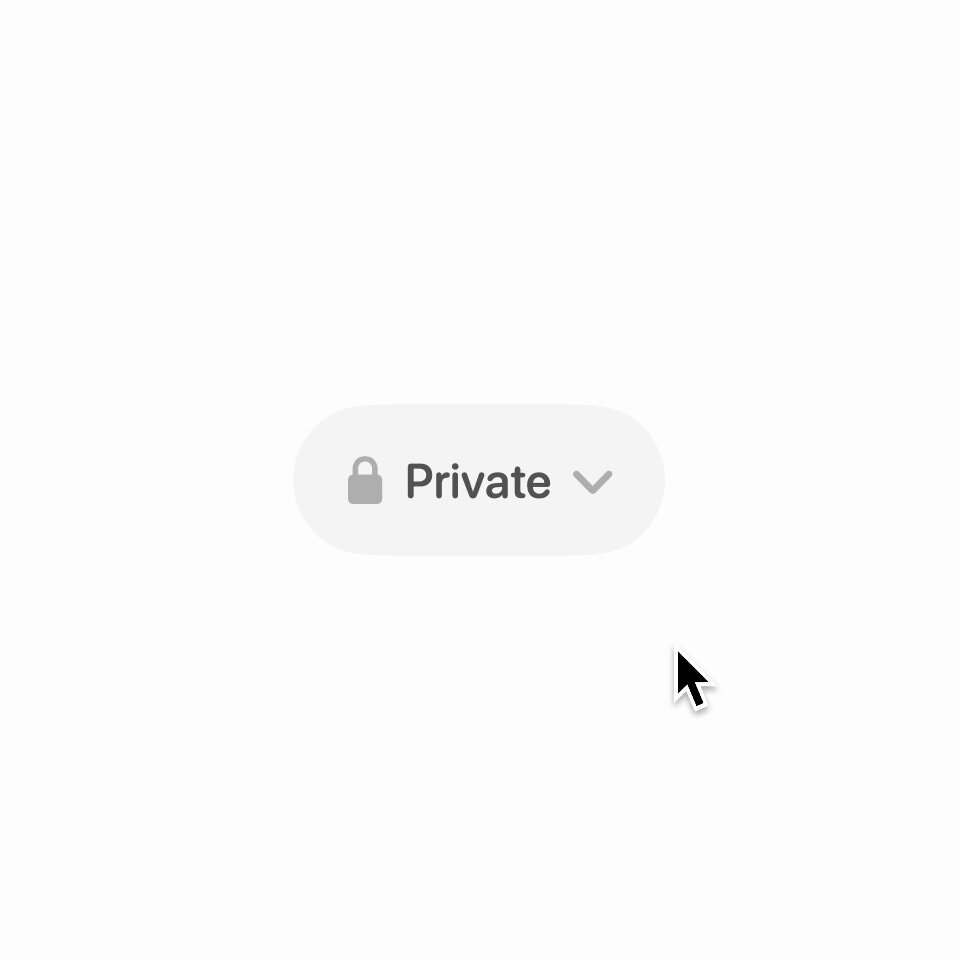
BUILD: Build a compact visibility selector: a gray pill showing a lock or globe, Private or Public, and a chevron. Opening it reveals a wider floating pill above containing both choices. Make the menu's soft blur collapse feel connected to the trigger, not like a separate dialog.
DESIGN SYSTEM: Use a neutral sans-serif at approximately 16px. Trigger roughly 124 by 48px with a full pill radius, 16px horizontal padding and 8px icon gaps. Background #fcfdfb; trigger #e8eae6; text #20231f; inactive icons #a4a9a1. The floating menu is about 208 by 50px, 12px above the trigger, with two equal cells, a subtle vertical divider, white surface and a diffuse light gray border/shadow. Selected text and icon are dark; the other option is gray.
MOTION: On opening, fade the menu from opacity 0 to 1, blur 8px to 0 and translateY 14px to 0 over 240ms using cubic-bezier(0.22,1,0.36,1). Rotate the chevron upward over 180ms. On selection update the chip label and icon; collapse the menu toward the trigger with translateY 14px, scale 1 to 0.94, blur 0 to 8px and opacity 1 to 0 over 220ms with cubic-bezier(0.4,0,0.2,1). These timings are reconstruction targets.
SECTIONS: Closed state shows the selected option. Open state shows Private with lock and Public with globe above the trigger. Selection updates the value and closes the menu. Escape or outside click closes without changing it. Include hover, pressed and keyboard-focus states.
IMPLEMENTATION: Use React with Motion for coordinated entry/exit, chevron rotation and the label transition. Draw icons with simple SVG. Keep the menu anchored on small screens and avoid clipping by parent containers. Use a button and accessible radio-menu semantics, arrow-key navigation, Enter to choose and focus return after closing. Reduced motion removes blur, translation and rotation, using an instant state change. Animate only the small menu layer, never a page-sized blur.
ADAPT TO THE PROJECT: Reuse existing design tokens, components and fonts. Map these estimated colors to the closest existing tokens. Never copy logos, brand names, photos or illustrations; use placeholders where needed.
SUCCESS CHECK:
- Choosing either visibility updates both icon and label and closes the menu.
- Menu entry and exit visibly converge toward the trigger without shifting nearby layout.
- Keyboard selection, Escape, outside click and reduced-motion mode all work.