REFERENCE
- Gallery page: https://magpui.com/en/i/speed-smeared-digit-counter-48f96b
- First frame (image): https://dnioievkvxejjbxgwvko.supabase.co/storage/v1/object/public/media/speed-smeared-digit-counter-48f96b/shot.jpg
- Clip (mp4): https://dnioievkvxejjbxgwvko.supabase.co/storage/v1/object/public/media/speed-smeared-digit-counter-48f96b/clip.mp4
- Original post: https://ui.aceternity.com/interactions/speed-counter by Manu Arora (@mannupaaji)
Before building, download the first frame and look at it. If ffmpeg is available, download the clip and extract frames (ffmpeg -i clip.mp4 -vf fps=2 frame-%02d.png), then study the motion frame by frame. Match what you see; the text below describes it, the frames are the truth.

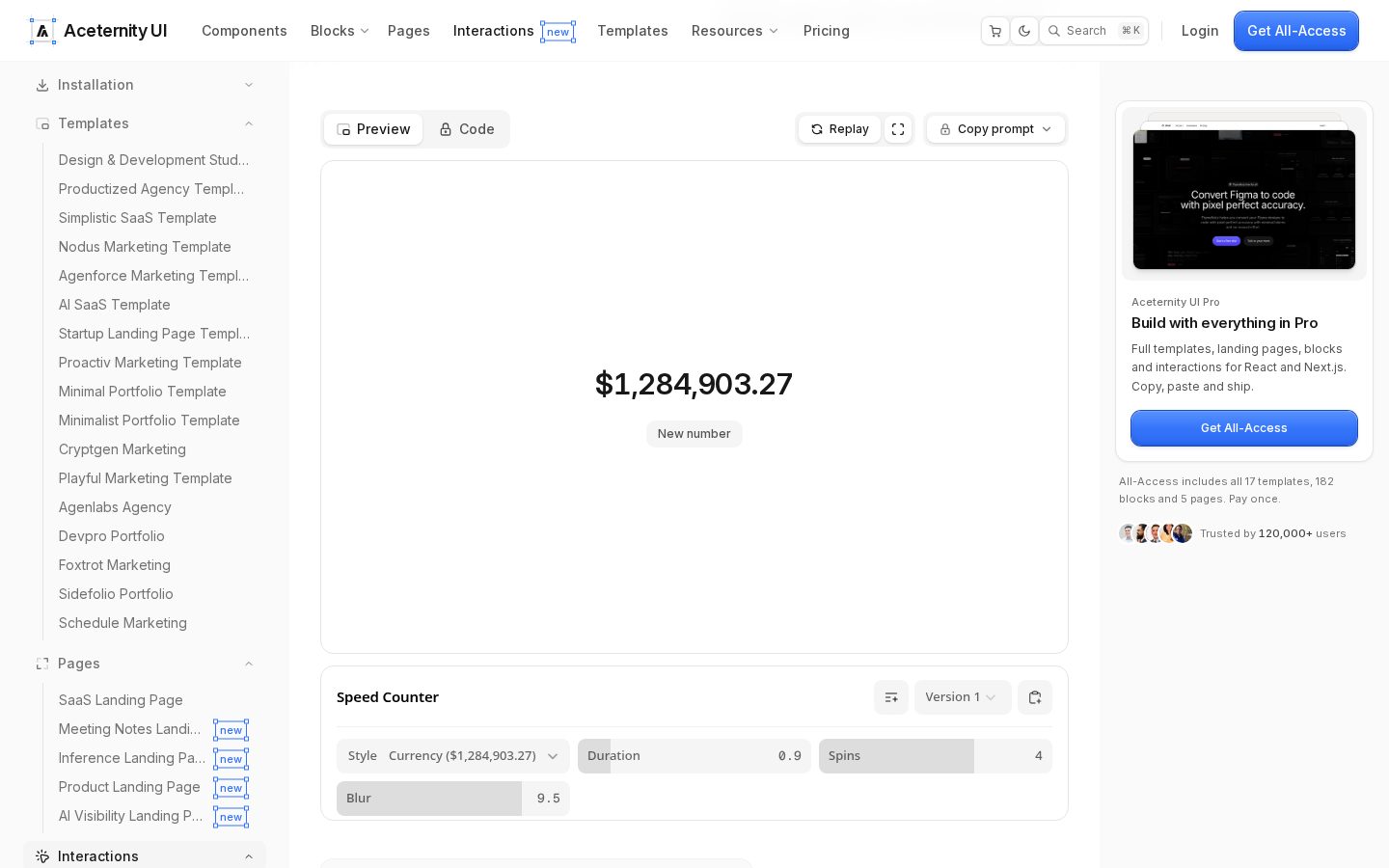
BUILD: Build a centered currency/number counter in a ~720×360 white preview. Show a large value like $1,284,903.27. A small pill button "New number" underneath picks a new random value; digits must race horizontally into their slots with a heavy speed smear/blur, then snap sharp. Commas, decimal point, currency symbol and sign stay anchored and never smear. Feel: slot-machine speed without rolling on Y—motion is sideways per digit.

DESIGN SYSTEM: Canvas white #ffffff, subtle border #e5e7eb, radius 16–20px. Number: bold sans (Inter/Geist), ~56–72px, tracking tight, color #0a0a0a, tabular figures if available. Button: height 28px, padding 12px 14px, radius 999px, border #e5e5e5, 13px medium type. Optional controls: Style (Currency/Number), Duration ~0.9s, Spins ~4, Blur ~8–10.

MOTION: On change: for each digit character, animate from a randomized horizontal offset (±40–120% of digit width × spins) to 0 over Duration (~900ms) with ease cubic-bezier(0.16, 1, 0.3, 1). Apply directional motion blur proportional to velocity (CSS filter blur or SVG feGaussianBlur along X, strength ~Blur 9). Stagger digits 20–40ms from least to most significant, or simultaneous. Non-digit glyphs ($, ,, .) crossfade opacity 120ms without smear. Idle: fully sharp. prefers-reduced-motion: instant crossfade of the whole string, no blur.

SECTIONS: (1) Preview frame. (2) Digit strip (per-character spans). (3) New number trigger. (4) Optional param row.

IMPLEMENTATION: React + Motion. Split formatted number into characters; animate x + filter on digit spans only. Use Intl.NumberFormat for locale-aware currency. Button is keyboard activatable (Enter/Space). Performance: limit blur during animation; remove filters when settled.

ADAPT TO THE PROJECT: Map type size/weight and button styles to existing tokens. Use the project's number formatting and currency. Never copy brand names from the reference.

SUCCESS CHECK:
- Clicking New number smears digits sideways then lands on a sharp new value.
- $, commas and decimal point do not smear.
- prefers-reduced-motion swaps values with a simple fade.