REFERENCE
- Gallery page: https://magpui.com/en/i/weekly-counter-with-rolling-digits-0cc64b
- First frame (image): https://dnioievkvxejjbxgwvko.supabase.co/storage/v1/object/public/media/weekly-counter-with-rolling-digits-0cc64b/shot.jpg
- Clip (mp4): https://dnioievkvxejjbxgwvko.supabase.co/storage/v1/object/public/media/weekly-counter-with-rolling-digits-0cc64b/clip.mp4
- Original post: https://60fps.design/shots/runmo-days-counter-interaction by Runmo
Before building, download the first frame and look at it. If ffmpeg is available, download the clip and extract frames (ffmpeg -i clip.mp4 -vf fps=2 frame-%02d.png), then study the motion frame by frame. Match what you see; the text below describes it, the frames are the truth.

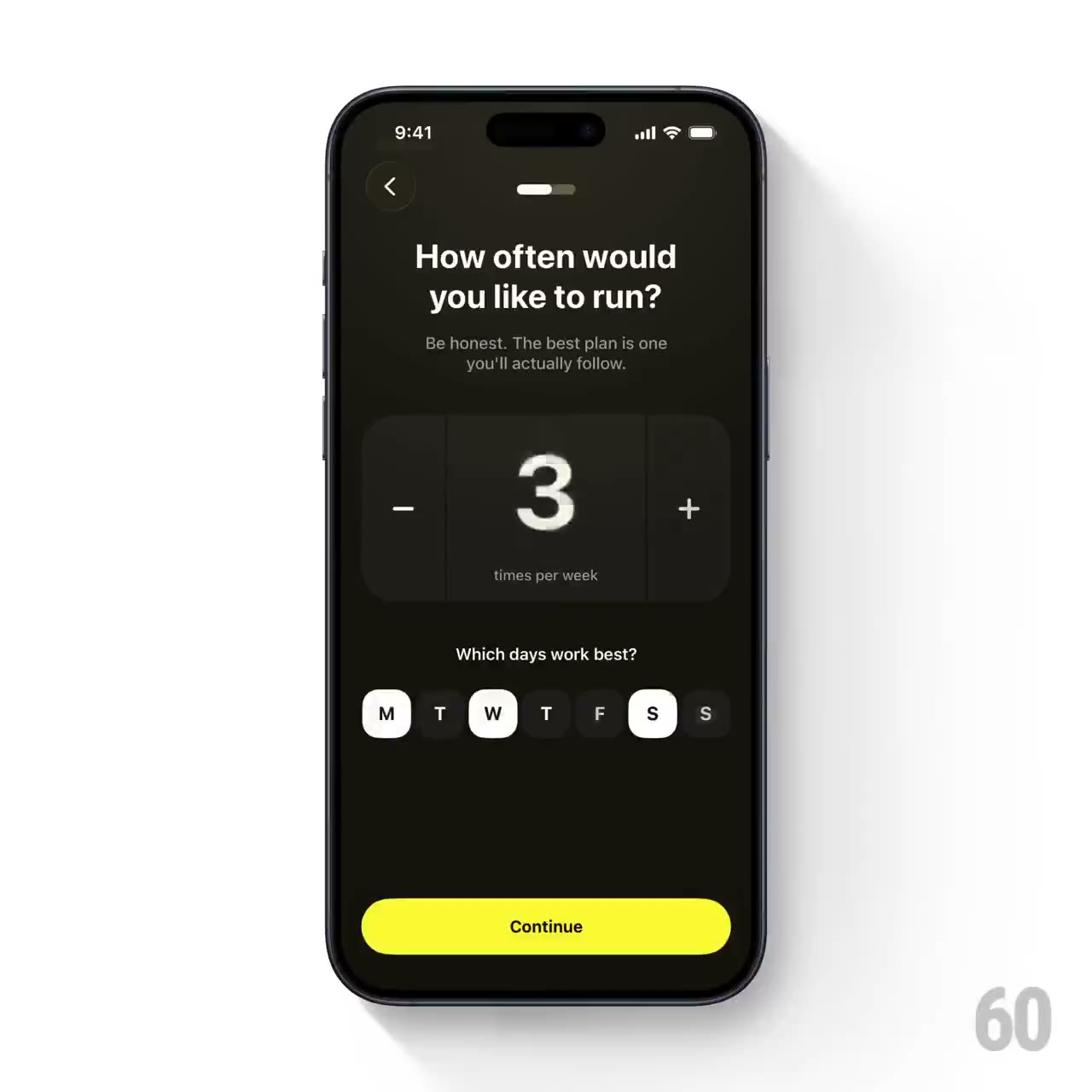
BUILD: Build only a weekly-frequency stepper and its linked seven-day selector. A large rolling number between minus and plus buttons states the weekly count, while a row of tiny weekday pills directly below reflects the selection. Keep the interface quiet and compact, not a whole onboarding flow or phone mockup.
DESIGN SYSTEM: Use an approximately 320px-wide group on a near-black #12130c surface. The stepper panel is #20211a with 20px corners, roughly 132px tall. Use a 64px medium-weight sans numeral and 18px plus/minus controls, an 11px muted caption below, and 28px square rounded weekday pills with 6px gaps. Active pills are warm white #f2f2e7 with near-black text, inactive pills charcoal with muted white text. Place a short explanatory label above the pills.
MOTION: On increment or decrement, translate the outgoing and incoming digit vertically by about 24px in opposite directions, fading and briefly blurring it by 3px over an estimated 240ms, cubic-bezier(0.22,1,0.36,1). Update the day pills alongside the numeral using an estimated 160ms background and text-color transition, cubic-bezier(0.2,0,0,1). Keep all movement inside the stepper, with no page or camera motion.
SECTIONS: States are count 1 through 7, enabled/disabled increment controls, selected/unselected weekday pills, and keyboard focus. Maintain a consistent count of active days; a user selecting a day must update the count. Do not enable counts outside 1–7.
IMPLEMENTATION: Use React with Motion AnimatePresence for the clipped numeral; use CSS for pill colors. Treat the numerical limits as domain constraints. Expose meaningful button labels and aria-pressed on day buttons, keep 44px touch hit areas even when visuals are smaller, and announce the updated count politely. With prefers-reduced-motion use instant numeral replacement without translation or blur. Animate only the small numeral and avoid rerendering a whole page.
ADAPT TO THE PROJECT: Reuse existing tokens, components and fonts. Map colors to the closest existing tokens. Do not copy logos, brand names, photos or illustrations; use neutral placeholders.
SUCCESS CHECK:
- The counter never leaves the 1–7 range and always agrees with the number of selected days.
- Digits animate within a fixed-size panel without moving the weekday row.
- Keyboard and reduced-motion modes retain the complete interaction.