REFERENCE
- Gallery page: https://magpui.com/en/i/wallet-claim-reveals-the-balance-1ab45a
- First frame (image): https://dnioievkvxejjbxgwvko.supabase.co/storage/v1/object/public/media/wallet-claim-reveals-the-balance-1ab45a/shot.jpg
- Clip (mp4): https://dnioievkvxejjbxgwvko.supabase.co/storage/v1/object/public/media/wallet-claim-reveals-the-balance-1ab45a/clip.mp4
- Original post: https://60fps.design/shots/circle-new-wallet-claim-balance-interaction by Circle
Before building, download the first frame and look at it. If ffmpeg is available, download the clip and extract frames (ffmpeg -i clip.mp4 -vf fps=2 frame-%02d.png), then study the motion frame by frame. Match what you see; the text below describes it, the frames are the truth.

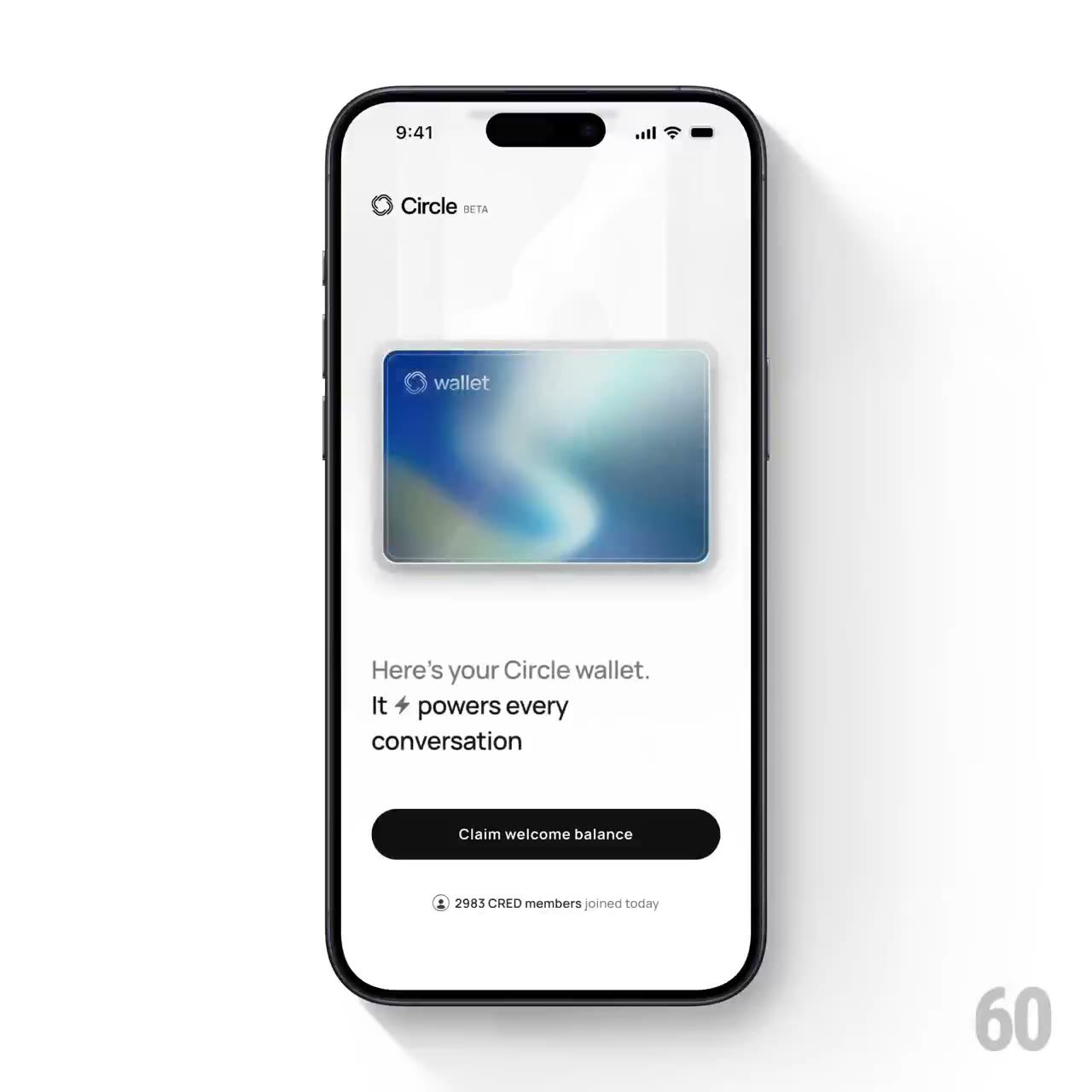
BUILD: Build a wallet activation card: a claim button enters a disabled loading state, the amount appears inside a softly colored card, then supporting text and the button settle into a ready state. Keep the card anchored throughout. Rebuild this single activation interaction, not a complete finance application.
DESIGN SYSTEM: Use a 360px-wide white #FAFAF8 panel with 24px padding. The card is about 300x190px, radius 14px, with an abstract blurred blue #356DA0, pale cyan #B9D7D6 and muted green #98B9A1 surface and a soft 0 8px 20px #00000022 shadow. Use a neutral sans-serif: amount 36px, explanatory copy 18px, helper text 11px. The primary black #111111 button spans the card width, is 44px high and pill-shaped; loading is gray #D4D4D2.
MOTION: On Claim, crossfade button text to Loading in 150ms and disable repeat input. On async success, reveal a formatted amount in the lower-left of the card with opacity 0 to 1 and translateY 8px to 0 over 300ms. Fade a subdued green radial glow beneath the amount over 450ms, then replace supporting text and enable Continue with 180ms crossfades and 80ms stagger. Use cubic-bezier(0.22,1,0.36,1). Timings and sizes are reconstruction targets.
SECTIONS: Abstract wallet card with small generic label; formatted balance absent before claim; supporting two-line message; claim/loading/continue button; tiny helper row. States: unclaimed, loading, ready and recoverable error. Do not invent a payment transaction: use a mock promise adapter.
IMPLEMENTATION: React state machine and Motion opacity/transform transitions; CSS gradients generate the card artwork without external assets. Keep fixed card and button dimensions to avoid layout jumps. Announce success with aria-live polite, expose aria-busy during loading and retain visible keyboard focus. Reduced motion uses immediate content replacement and a static green tint.
ADAPT TO THE PROJECT: Reuse existing design tokens, components and fonts. Map estimated colors to the nearest project tokens. Never copy logos, brand names, photos or illustrations; use generic labels and CSS-generated surfaces.
SUCCESS CHECK:
- All states work without changing the surrounding layout.
- Keyboard and reduced-motion modes preserve the same information.
- Animation stays within its component and produces no layout shift.