REFERENCE
- Gallery page: https://magpui.com/en/i/spacing-inspector-dashboard-84c8bd
- First frame (image): https://dnioievkvxejjbxgwvko.supabase.co/storage/v1/object/public/media/spacing-inspector-dashboard-84c8bd/shot.jpg
- Clip (mp4): https://dnioievkvxejjbxgwvko.supabase.co/storage/v1/object/public/media/spacing-inspector-dashboard-84c8bd/clip.mp4
- Original post: https://x.com/MichaelFilipiuk/status/2111383736243859714 by @MichaelFilipiuk
Before building, download the first frame and look at it. If ffmpeg is available, download the clip and extract frames (ffmpeg -i clip.mp4 -vf fps=2 frame-%02d.png), then study the motion frame by frame. Match what you see; the text below describes it, the frames are the truth.

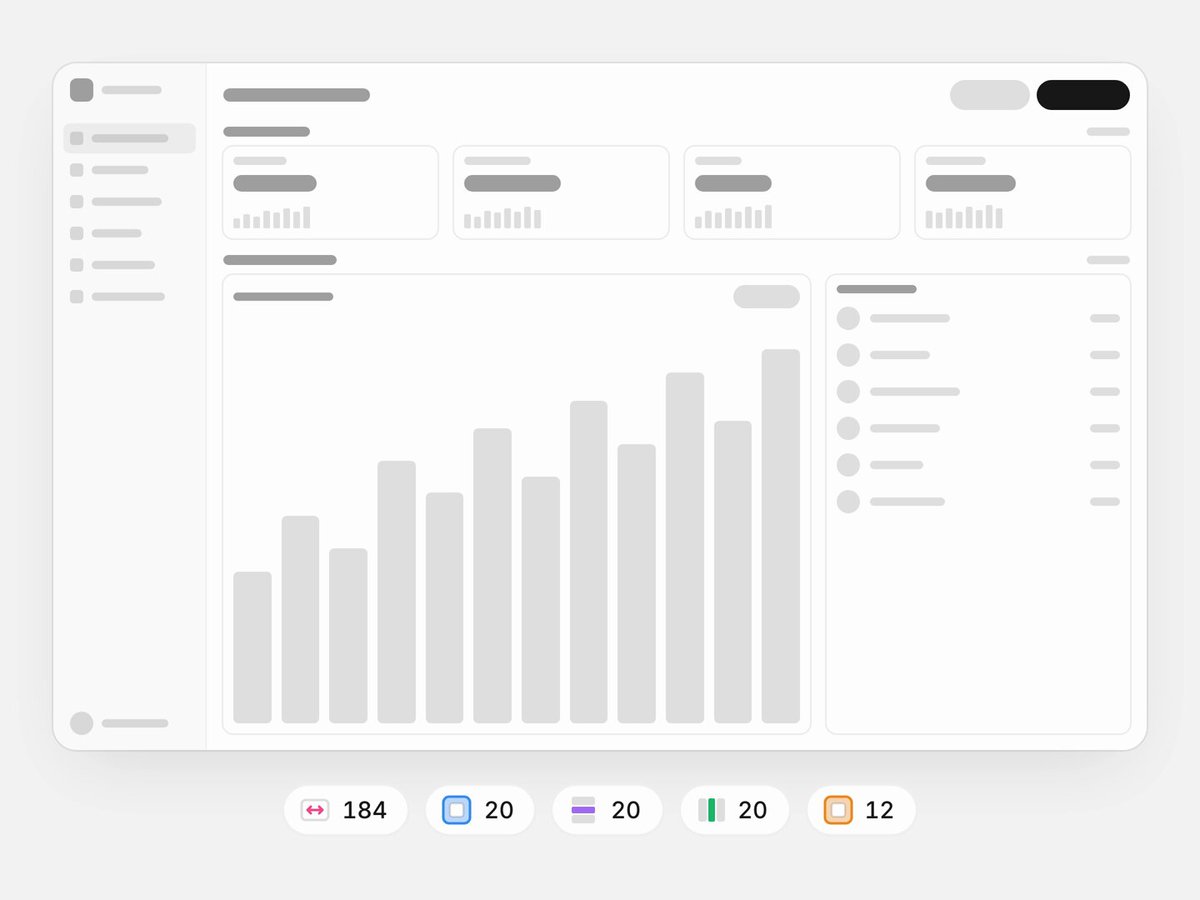
BUILD: In the existing app, build a compact spacing-inspector mode for a desktop analytics dashboard. Keep a pale, low-contrast dashboard visible beneath a clear overlay that highlights the selected layout zone, making it easy to understand how padding and gaps shape the page. This is a focused inspection tool, not a new dashboard design.
DESIGN SYSTEM: Use a white canvas and soft gray interface. The dashboard has a narrow left navigation rail, a row of four small summary cards, a large bar-chart area, and a compact right-side list. Keep labels and chart details muted gray. Use a 12-column responsive grid, 16px outer spacing, 12px card gaps, 8px corner radii, thin light-gray borders, and no heavy shadows. Highlight the selected zone with a translucent blue or lavender fill and a crisp matching outline; preserve contrast for the underlying layout. Use a neutral sans-serif, with 12px labels, 14px controls, and 18px section headings. Include a bottom-centered row of small pill controls with numeric spacing values and matching color swatches.
MOTION: On selecting a spacing token, update the highlighted region and its value together. Transition overlay color, outline, and numeric emphasis over 180ms with cubic-bezier(0.2, 0, 0, 1). On hover, raise the selected pill slightly and brighten its swatch over 140ms with cubic-bezier(0.2, 0, 0, 1). No looping animation.
SECTIONS: One dashboard canvas with a left navigation rail, header and summary cards, chart and side list; a translucent inspection overlay for the active spacing zone; a bottom row of selectable spacing-value pills. States: idle (no overlay), hover (pill highlighted), active (one zone highlighted with its value), keyboard focus (visible outline).
IMPLEMENTATION: Build the overlay and layout guides with CSS grid and absolutely positioned pseudo-elements or SVG outlines; use React state for selection. CSS transitions are sufficient. Respect prefers-reduced-motion by removing transitions. Make each pill a button with an accessible name and keyboard operation, keep focus visible, and avoid animating chart data or causing layout shifts.
ADAPT TO THE PROJECT: Reuse the project's existing design tokens, components, and fonts, mapping these colors to the closest available tokens. Never copy logos, brand names, photos, or illustrations from the reference; use neutral placeholders.
SUCCESS CHECK:
- Selecting each spacing pill highlights only its matching dashboard zone and displays the corresponding value.
- The underlying dashboard remains legible in every selection state.
- All spacing controls work by keyboard and show a visible focus state.