REFERENCE
- Gallery page: https://magpui.com/en/i/crumpled-paper-unfold-9232bd
- First frame (image): https://dnioievkvxejjbxgwvko.supabase.co/storage/v1/object/public/media/crumpled-paper-unfold-9232bd/shot.jpg
- Clip (mp4): https://dnioievkvxejjbxgwvko.supabase.co/storage/v1/object/public/media/crumpled-paper-unfold-9232bd/clip.mp4
- Original post: https://x.com/Matthias_Oel/status/2112182514286825716 by @Matthias_Oel
Before building, download the first frame and look at it. If ffmpeg is available, download the clip and extract frames (ffmpeg -i clip.mp4 -vf fps=2 frame-%02d.png), then study the motion frame by frame. Match what you see; the text below describes it, the frames are the truth.

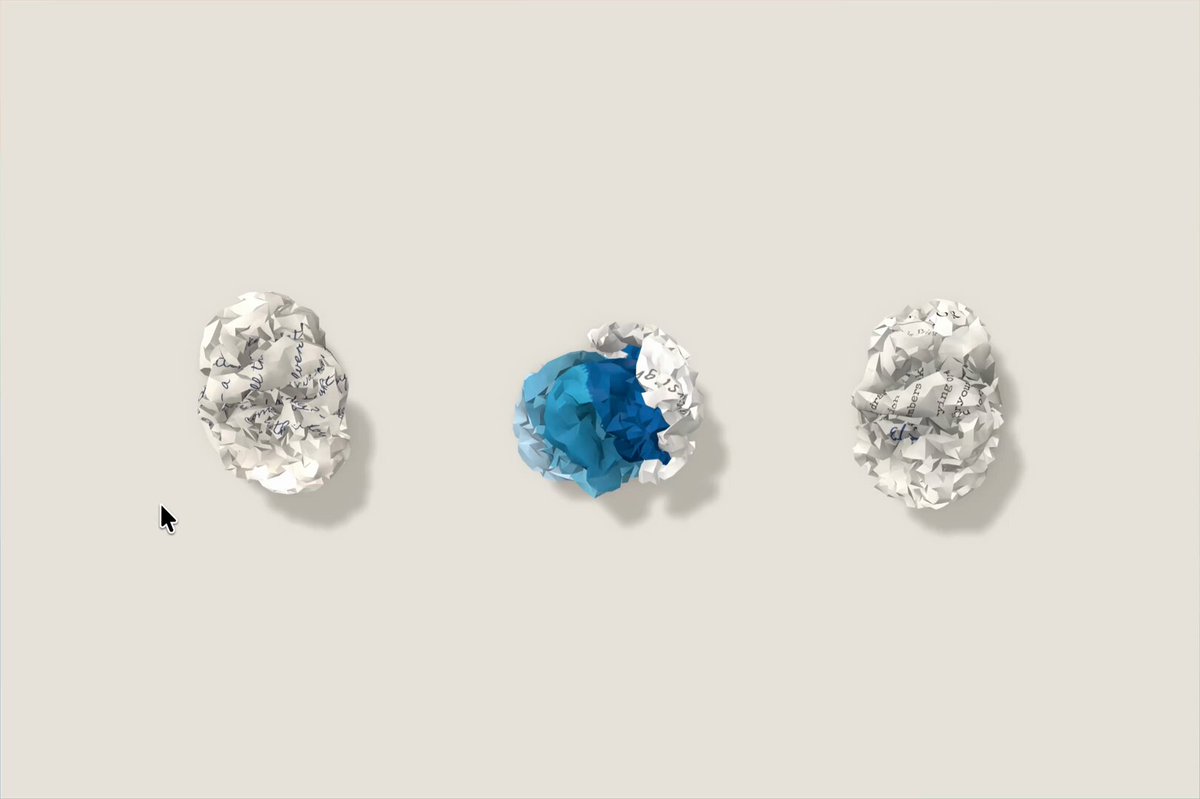
BUILD: Create one interactive image/document component that begins as a compact crumpled paper ball and unfolds into a broad sheet on click, retaining visible creases when open. Make the transformation tactile and legible, with the content image revealed on the paper surface.
DESIGN SYSTEM: Component only. Use a neutral stage, an off-white paper surface (#F4F1E9), soft gray crease shadows (#A9A49A), and dark content. Closed state roughly 120px across; open sheet around 360px wide and 250px tall, responsive to its container. Keep edges irregular but subtle, with soft ambient shadow and no heavy card chrome.
MOTION: On click or Enter/Space, morph from crumpled ball to sheet over 850ms using cubic-bezier(0.22, 1, 0.36, 1). Scale from 0.42 to 1 while rotating from -18deg to 0deg; reveal content with opacity 0 to 1 over 300ms after a 420ms delay. Clicking again refolds over 700ms using cubic-bezier(0.7, 0, 0.3, 1).
SECTIONS: Single component with closed, unfolding, open, refolding, hover and keyboard-focus states. The open state retains crease lines and subtle uneven edges.
IMPLEMENTATION: Use SVG filters and layered SVG paths for paper shading and crease lines, with CSS transforms and transitions; avoid expensive per-frame canvas rendering. Respect prefers-reduced-motion by switching immediately between the two states. Make the control a semantic button with an accessible label, keyboard activation, and visible focus ring.
ADAPT TO THE PROJECT: Reuse the project's existing design tokens, components and fonts, map colors to the closest existing tokens, and never copy logos, brand names, photos or illustrations from the original; use placeholders.
SUCCESS CHECK: - Click and keyboard activation both unfold and refold the sheet.
- Open paper visibly retains crease detail.
- Reduced-motion mode changes state without animated movement.