REFERENCE
- Gallery page: https://magpui.com/en/i/portfolio-cards-in-a-drawer-165ea1
- First frame (image): https://dnioievkvxejjbxgwvko.supabase.co/storage/v1/object/public/media/portfolio-cards-in-a-drawer-165ea1/shot.jpg
- Clip (mp4): https://dnioievkvxejjbxgwvko.supabase.co/storage/v1/object/public/media/portfolio-cards-in-a-drawer-165ea1/clip.mp4
- Original post: https://x.com/justyna_framer/status/2114725547209314359 by @justyna_framer
Before building, download the first frame and look at it. If ffmpeg is available, download the clip and extract frames (ffmpeg -i clip.mp4 -vf fps=2 frame-%02d.png), then study the motion frame by frame. Match what you see; the text below describes it, the frames are the truth.

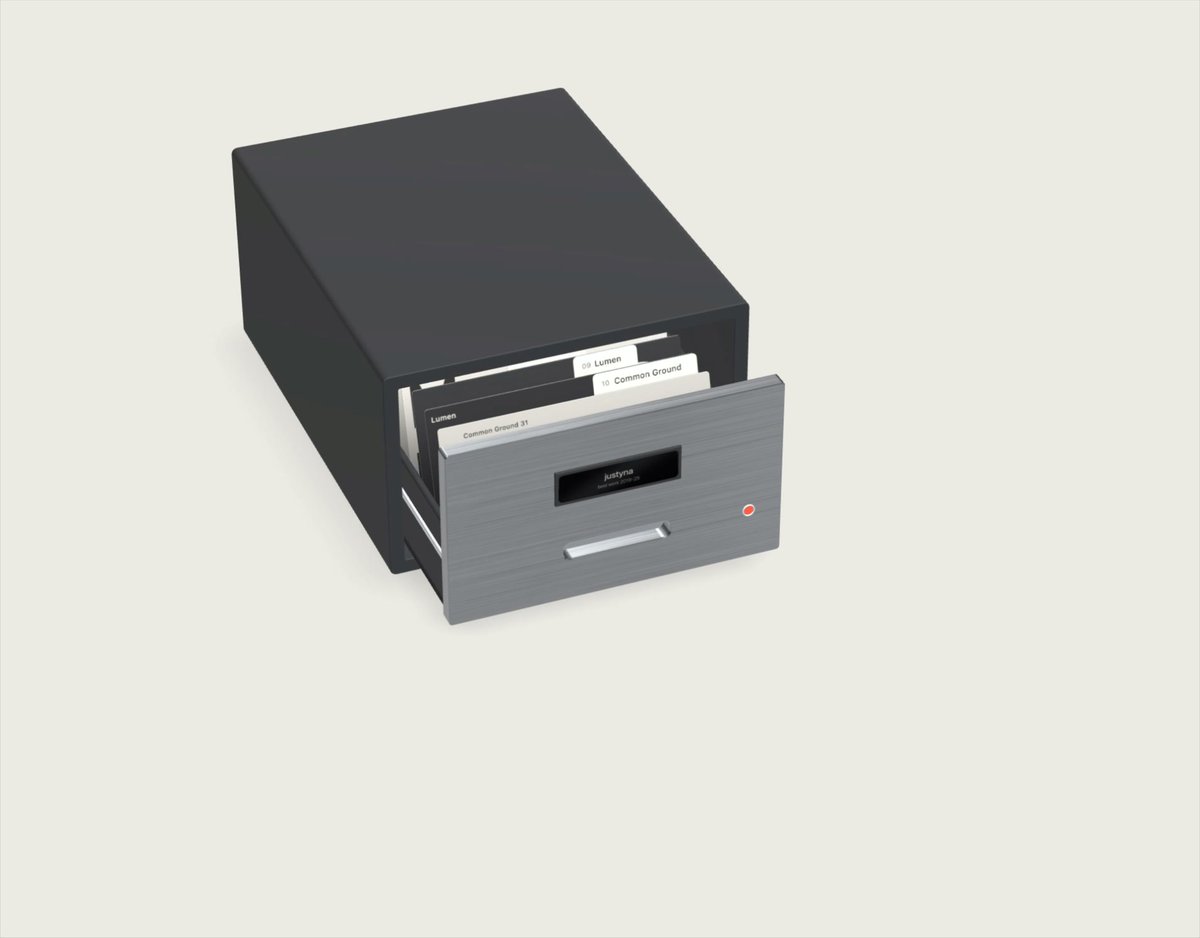
BUILD: Build an interactive desktop card-file drawer containing a small portfolio. Hovering or focusing a project lifts its preview card above the stack; leaving returns it to its slot. Keep the experience tactile and compact, not a whole portfolio page.
DESIGN SYSTEM: Center a roughly 420px wide charcoal archive box on an ivory #eeeee5 surface. Use a three-quarter elevated perspective, dark #393b3c housing, gray #777c80 drawer front, a black label recess and slim silver handle. Arrange 8 overlapping project cards along the drawer depth. Cards are off-white with small index tabs, black sans-serif typography and occasional red #ed3035 accents. Use placeholder graphic compositions instead of original projects. Labels 10–12px, preview headlines 48–64px. Keep generous empty space around the object and soft contact shadows beneath it.
MOTION: Suggested timings: on pointer entry or keyboard focus, raise the selected card 120px over 450ms using cubic-bezier(0.22,1,0.36,1); preserve its perspective and stacking order. On leave, lower over 350ms with the same easing. Only one card is elevated at once. When switching, lower the previous card as the next rises. Do not rotate the entire scene or introduce camera zoom.
SECTIONS: Box shell; extended drawer; handle and label; overlapping index cards; idle stack; raised preview; focused and selected states. Each card is a real project link with an accessible label.
IMPLEMENTATION: React and Motion with CSS perspective and preserve-3d for simple planes. Use transform-only animation and individual hit targets mapped to the visible card tabs. Avoid a continuous rendering loop. Provide tab navigation, Enter activation and a visible focus ring. On touch, first tap selects a card and an explicit link opens the project. Respect prefers-reduced-motion by revealing previews without vertical travel. Use a flat list fallback on narrow screens.
ADAPT TO THE PROJECT: Reuse existing design tokens, components and fonts; map colors to closest existing tokens. Never copy logos, brand names, photos or illustrations from the original; use placeholders.
SUCCESS CHECK:
- Each project tab lifts its own card without flicker or blocking neighboring tabs.
- Moving focus between cards returns the previous preview into its slot.
- Keyboard, touch and reduced-motion users can reach every project.