REFERENCE
- Gallery page: https://magpui.com/en/i/genie-minimize-effect-for-web-91f1af
- First frame (image): https://dnioievkvxejjbxgwvko.supabase.co/storage/v1/object/public/media/genie-minimize-effect-for-web-91f1af/shot.jpg
- Clip (mp4): https://dnioievkvxejjbxgwvko.supabase.co/storage/v1/object/public/media/genie-minimize-effect-for-web-91f1af/clip.mp4
- Original post: https://x.com/raphaelsalaja/status/2118019816233775318 by @raphaelsalaja
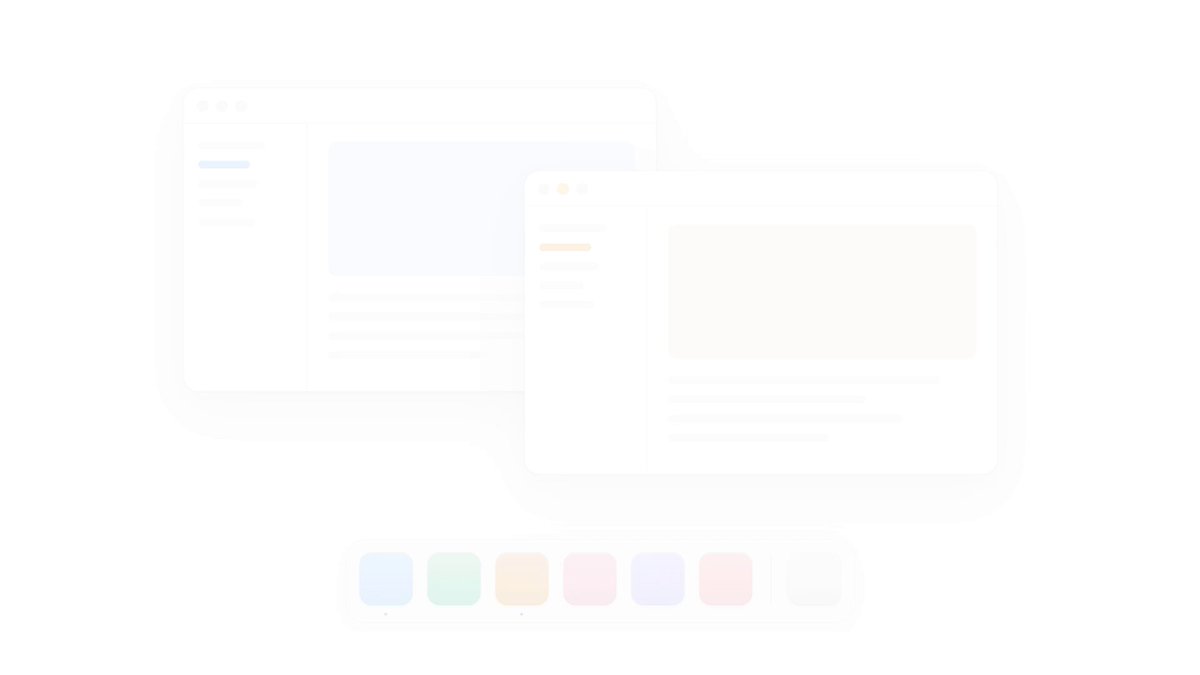
Before building, download the first frame and look at it. If ffmpeg is available, download the clip and extract frames (ffmpeg -i clip.mp4 -vf fps=2 frame-%02d.png), then study the motion frame by frame. Match what you see; the text below describes it, the frames are the truth.

BUILD: A reusable genie minimize transition: when a floating window (or dialog / popover panel) is minimized, its content warps and funnels down into a small target element (a dock icon or a 'Target' tile), with the top edge staying wide while the lower part narrows along two smooth S-curves, like the window being sucked into a bottle neck. Restoring plays the same path in reverse, the window pouring out of the icon and unbending into its rectangle. It must work on live DOM content, not a screenshot, so any existing window/dialog component can use it. It should feel liquid and physical, fast enough to never be annoying.

DESIGN SYSTEM: Demo stage on a pure white #FFFFFF background, generous empty space. Windows: about 400x260px, background #FFFFFF, 1px border #E6E6E8, radius 12px, soft shadow 0 20px 50px rgba(0,0,0,0.10); title bar 30px tall with three 10px traffic-light dots in #DADADA (the focused window's middle dot in amber #F6B73C); left sidebar 100px wide with gray skeleton bars #ECECEE (one 44x6px accent bar in blue #3D9BF0, amber #E8902A or red #F06B7A); content area with a large tinted placeholder card (pale blue #DCEBFB, pale peach #FBE8D3, pale pink #FBE1E4) and 4 gray text skeleton lines. Dock: centered pill 430x64px, white, 1px border #E8E8EA, radius 18px, subtle shadow; six 46px app squircles (radius 12px) with soft vertical gradients in blue #4AA8FF, green #2DBE6C, orange #F08A24, pink #F27BA6, violet #9A8CFF, coral #F2737A, a 1px divider, then a light gray trash-like tile #E2E2E4; 3px dark dots under open apps. Optional debug mode: draw the two funnel rails as 1.5px dashed blue lines #3D9BF0 with 5px dots at the four corner points, fill the funnel area with a vertical gradient rgba(61,155,240,0.12) to transparent, and outline each horizontal slice in amber #E8A33C so the technique is visible.

MOTION: Minimize (trigger: click the amber dot or a minimize button): total 550ms. Phase 1, 0-45%: the bottom of the window is pulled toward the target: the left and right edges of each horizontal row follow two cubic bezier rails from the window's bottom corners to the target's top corners, so the lower half narrows into an S-shaped neck while the top edge stays almost full width. Phase 2, 45-100%: the whole bent shape slides down along the rails into the target; rows that reach the target's top edge are clipped away, so the window disappears into the icon. Use cubic-bezier(0.4, 0, 0.2, 1) for overall progress, with each row's progress offset by its vertical position (lower rows lead by up to 120ms) so it reads as a liquid pour rather than a rigid scale. The target icon gets a tiny 1.06 scale bump over 180ms when the last row enters. Restore: exact reverse, 500ms, cubic-bezier(0.2, 0, 0, 1), window shadow fades back in during the last 120ms. Hovering the target before restore: lift 2px over 150ms.

SECTIONS: Parts: window (live DOM element), target (dock icon or any element passed as ref), funnel rails (computed, visible only in debug), slices layer. States: open (normal window, interactive), minimizing (window hidden, slices animating, pointer events off), minimized (window display:none or inert, target shows a dot), restoring (slices animate out, then the real window is shown and focus returns to it). Multiple windows can minimize to different targets, each window keeps its own z-order.

IMPLEMENTATION: Recommended: DOM slicing so it works on real components. At animation start, render N copies of the window (24-40 horizontal slices, more on large windows) absolutely positioned in a fixed overlay; each copy shows only its own band via clip-path: inset(top 0 bottom 0). For progress t and slice i, compute the slice's vertical position along the path, then evaluate the left and right bezier rails at that y to get its left/right x; apply transform: translate(x, y) scaleX(width/originalWidth) with transform-origin left top. Drive t with requestAnimationFrame or Motion's animate() on a motion value, and update transforms only (no layout). Alternative for very heavy content or when you can snapshot: draw the window to a texture and warp a subdivided plane in WebGL (Three.js PlaneGeometry with 1x40 segments, vertex shader bending along the same rails). Keep the real window inert and hidden during the effect, restore focus to the window title or the triggering button. prefers-reduced-motion: replace with a 150ms opacity + 0.96 scale fade toward the target. Cap slices at 40 and avoid box-shadow on slices (draw one shadow on the overlay instead) to stay at 60fps.

ADAPT TO THE PROJECT: Reuse the project's existing window, dialog or popover components, its design tokens, radii, shadows and fonts; map the demo colors to the closest existing tokens. Expose it as a small hook or helper, e.g. minimizeTo(windowEl, targetEl) and restoreFrom(targetEl, windowEl). Do not copy any OS logos, app icons or brand names; use plain gradient squircles as placeholders.

SUCCESS CHECK:
- Minimizing a window shows its bottom narrowing along two smooth curves into the target, top edge still wide mid-animation, then the whole window disappears into the target in about 550ms.
- Restoring plays the reverse path and the window becomes fully interactive again with focus returned, with no layout shift.
- With prefers-reduced-motion on, only a short fade/scale toward the target plays; the animation holds 60fps on a mid-range laptop with a content-heavy window.