Hit Copy prompt above, open your project in the agent and paste it. The prompt links the original frames, so the agent can look at them before building.
Put the two side by side. If something is off, tell the agent exactly what: timing, size, color or spacing.
REFERENCE
- Gallery page: https://magpui.com/en/i/generative-ink-brush-bloom-16f27b
- First frame (image): https://dnioievkvxejjbxgwvko.supabase.co/storage/v1/object/public/media/generative-ink-brush-bloom-16f27b/shot.jpg
- Clip (mp4): https://dnioievkvxejjbxgwvko.supabase.co/storage/v1/object/public/media/generative-ink-brush-bloom-16f27b/clip.mp4
- Original post: https://x.com/zachlieberman/status/2108920745887924469 by @zachlieberman
Before building, download the first frame and look at it. If ffmpeg is available, download the clip and extract frames (ffmpeg -i clip.mp4 -vf fps=2 frame-%02d.png), then study the motion frame by frame. Match what you see; the text below describes it, the frames are the truth.

BUILD
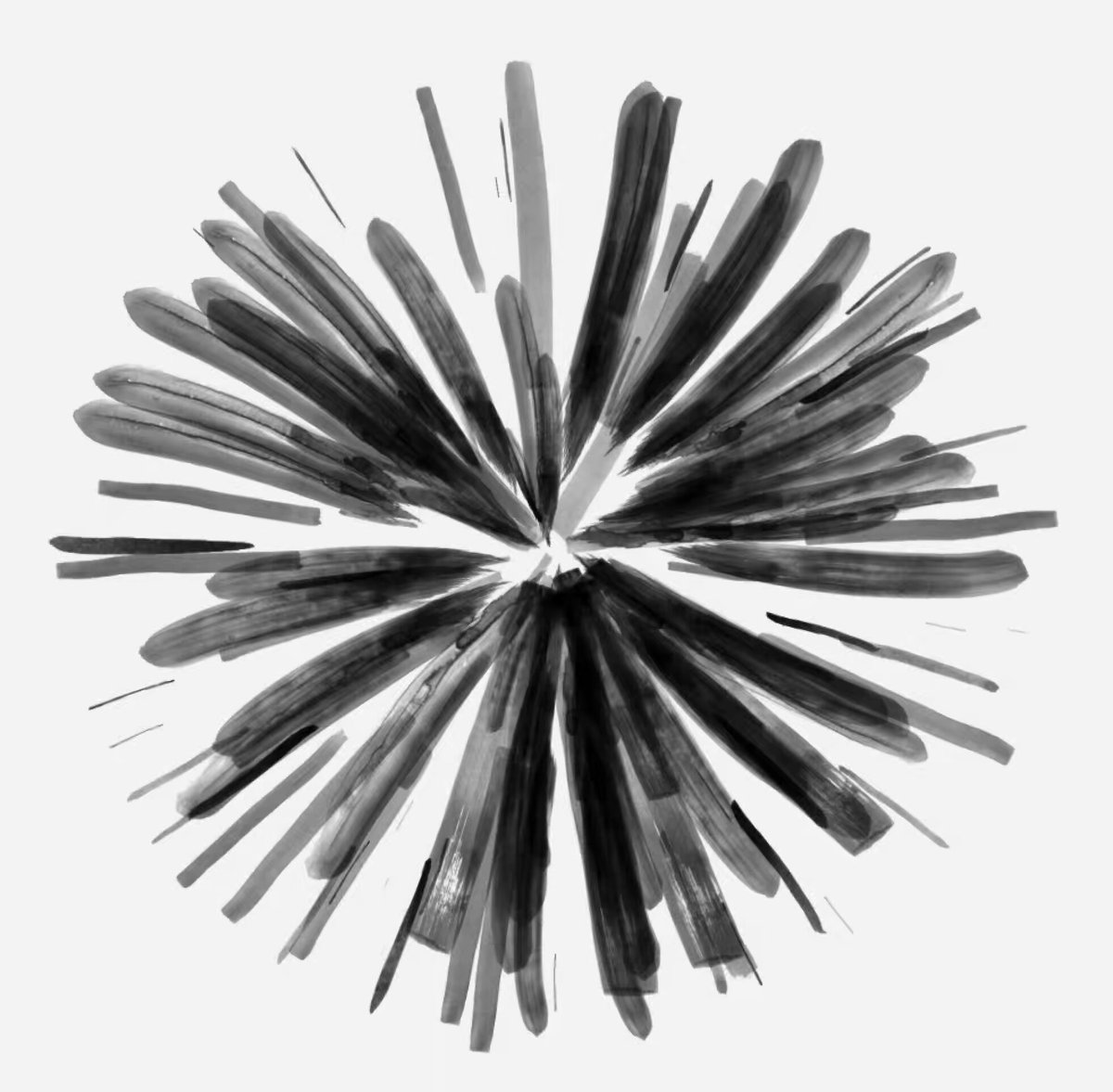
A generative loop: dozens of brush strokes radiate from a center, each with tapered ends and dry-brush texture, growing and shrinking so the bloom breathes between sparse and dense.

DESIGN SYSTEM
- Background #F2F2F2, strokes #111 at 70-100% opacity with grain.

MOTION
- Each stroke length = base * (0.5 + 0.5 * sin(time * 0.6 + phase)); angles slowly rotate 2deg per second.
- Density cycles 40 to 140 strokes over 8s.
- Stroke width tapers from 8px to 0.

SECTIONS
- Single canvas.

IMPLEMENTATION
- Canvas 2D: draw each stroke as a quad strip with noise-based edge roughness and a paper grain texture; or p5.js if the project has it.
- prefers-reduced-motion: skip the animation and show the end state.

ADAPT TO THE PROJECT
- Reuse the project's existing tokens, components and fonts; map colors to the closest existing tokens.
- Do not copy logos, brand names, characters or artwork from the reference. Use neutral placeholders.

SUCCESS CHECK
- Strokes look painted, not vector lines.
- Loop has no visible seam.
- Runs at 60fps with 140 strokes.