REFERENCE
- Gallery page: https://magpui.com/en/i/video-remix-with-inline-generation-b6b366
- First frame (image): https://dnioievkvxejjbxgwvko.supabase.co/storage/v1/object/public/media/video-remix-with-inline-generation-b6b366/shot.jpg
- Clip (mp4): https://dnioievkvxejjbxgwvko.supabase.co/storage/v1/object/public/media/video-remix-with-inline-generation-b6b366/clip.mp4
- Original post: https://x.com/ashdesignin/status/2111894236148977869 by @ashdesignin
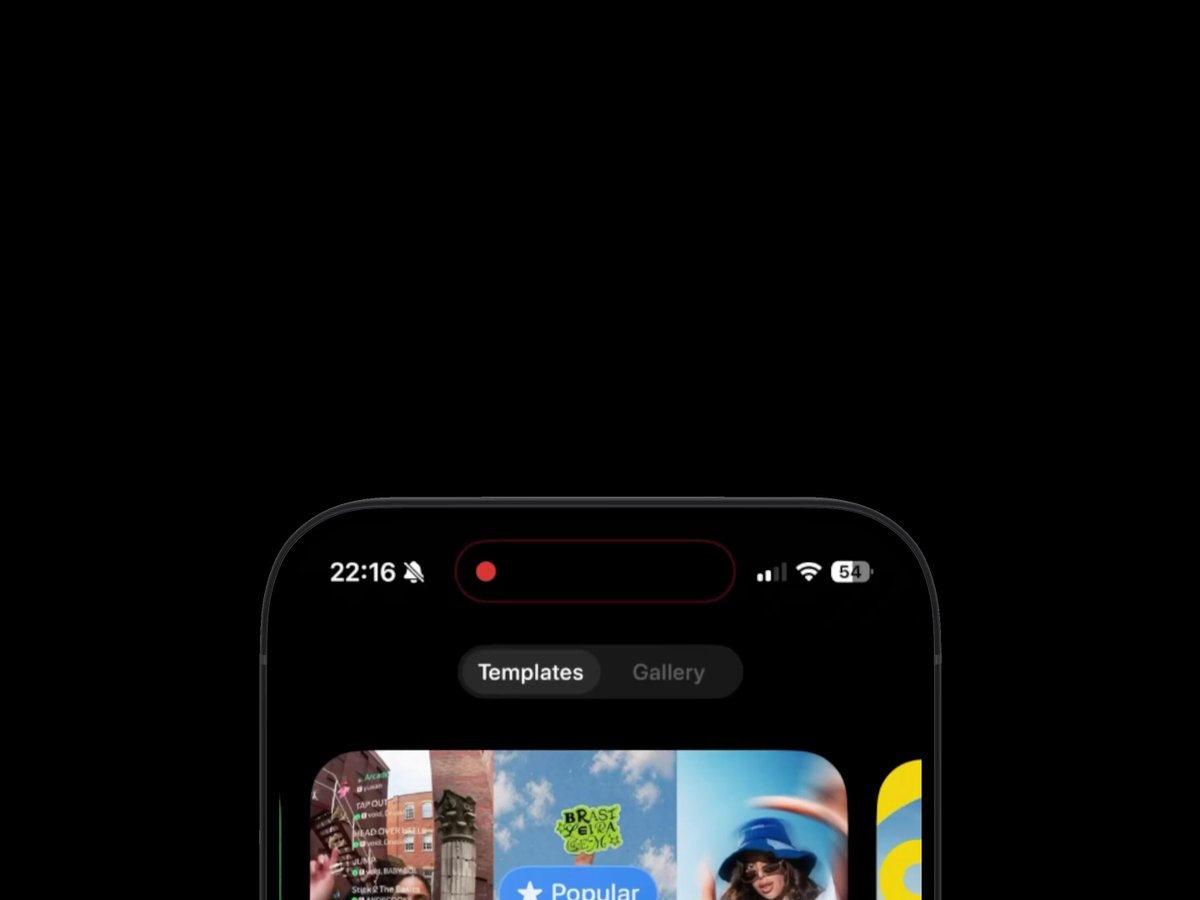
Before building, download the first frame and look at it. If ffmpeg is available, download the clip and extract frames (ffmpeg -i clip.mp4 -vf fps=2 frame-%02d.png), then study the motion frame by frame. Match what you see; the text below describes it, the frames are the truth.

BUILD: Create a mobile video-remix component with template browsing, a focused mix configuration panel and a floating generation status capsule. Preserve the user's context in the media gallery rather than replacing it with a blocking loading screen.
DESIGN SYSTEM: Target a 390px-wide dark interface, #050505 background, #202020 panels and #F5F5F5 text. Use a neutral sans-serif at 12-14px for controls, 18px for the configuration title. A centered segmented control switches Templates and Gallery. Place large colorful template previews above a two-column media grid with 12px gaps and 24px corners. Each tile has a small translucent Mix pill near its lower edge. The configuration sheet has a centered portrait preview, short title and description, compact attribute chips, an overlapping media selection strip, Add media button and Hold to mix action. Float a rounded black status capsule just above the bottom controls, with two lines of text and a small circular progress indicator on the right. Bottom controls consist of a small settings circle, central white plus button and profile circle over a softly blurred surface.
MOTION: On template selection, animate the configuration panel into focus with opacity 0 to 1 and translateY 24px to 0 over 320ms, cubic-bezier(0.22,1,0.36,1). Holding the mix action fills its progress track over 800ms; releasing early resets over 160ms. On generation start, dismiss configuration and reveal the gallery status capsule with a 250ms fade and 10px upward movement. Animate the progress ring continuously without moving surrounding tiles. These durations are recommended targets rather than measured source timings.
SECTIONS: Template browsing with segmented tabs and tile-level Mix actions; configuration panel with close button, selected media, add-media control and hold action; gallery with generation-in-progress status capsule; reserve a completed state that inserts the generated tile without changing scroll position.
IMPLEMENTATION: Use React and Motion for panel and status transitions, CSS grid for media and SVG stroke-dashoffset for progress. Use local sample clips and simulated progress rather than requiring a generation API. Pause offscreen video and avoid animating all thumbnails simultaneously. Provide keyboard access and a standard click-to-confirm alternative to the hold gesture. Announce progress milestones politely, not every frame. Reduced motion uses immediate state switches and a static progress indicator.
ADAPT TO THE PROJECT: Reuse the project's existing tokens, components and fonts. Map colors to the closest existing tokens. Never copy logos, brand names, photos or illustrations from the original; use licensed placeholder media.
SUCCESS CHECK:
- Users can browse media while generation status stays visible.
- Closing configuration restores the same gallery position.
- Keyboard users can start the remix without a hold gesture.