REFERENCE
- Gallery page: https://magpui.com/en/i/stacking-pill-navbar-2f365c
- First frame (image): https://dnioievkvxejjbxgwvko.supabase.co/storage/v1/object/public/media/stacking-pill-navbar-2f365c/shot.jpg
- Clip (mp4): https://dnioievkvxejjbxgwvko.supabase.co/storage/v1/object/public/media/stacking-pill-navbar-2f365c/clip.mp4
- Original post: https://21st.dev/@chetanverma16/components/stacking-navbar by Chetan Verma
Before building, download the first frame and look at it. If ffmpeg is available, download the clip and extract frames (ffmpeg -i clip.mp4 -vf fps=2 frame-%02d.png), then study the motion frame by frame. Match what you see; the text below describes it, the frames are the truth.

BUILD
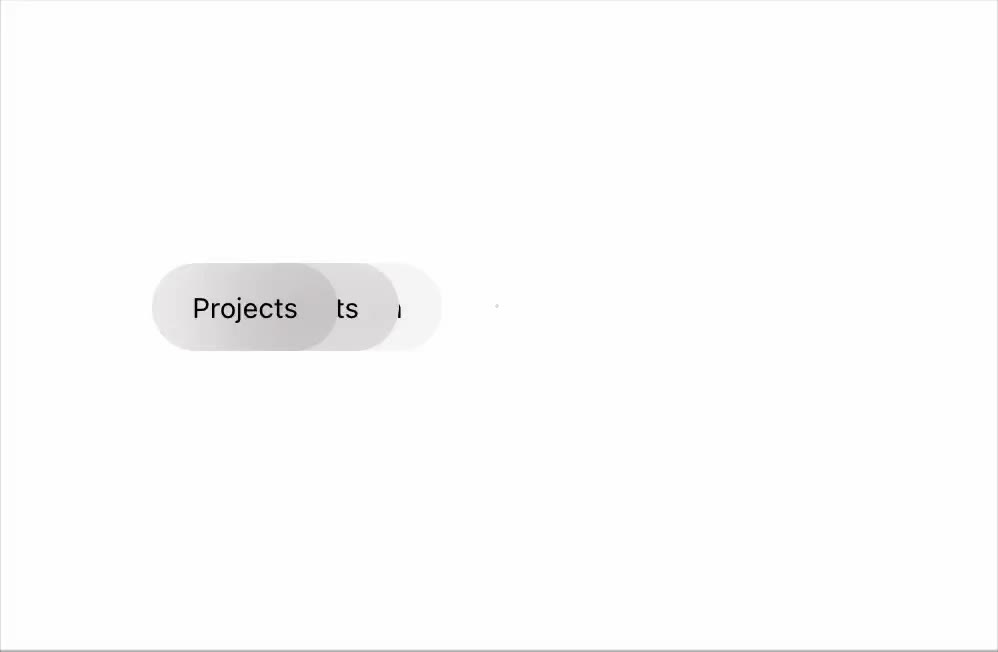
A compact navigation where three pill links (Projects, Components, Information) are stacked with a small offset, showing only the first. Hovering the stack spreads them into a row with gaps; hovering a pill turns it black with white text.

DESIGN SYSTEM
- White background; pills 30px high, #F1F1F1, radius 999px, 12px medium #333; active/hover #111 with white text.
- Stacked state: each next pill offset 10px right and scaled 0.95, lower opacity.

MOTION
- Hover the stack: pills spread to x positions with a spring (300/24), stagger 40ms.
- Leave: they collapse back behind the first pill in reverse.
- Pill hover color swap 150ms.

SECTIONS
- Container, pills.
- States: collapsed, expanded, pill hover, focus (expands too).

IMPLEMENTATION
- Motion animate on x/scale per pill; measure widths once to compute expanded positions; links stay real anchors.
- prefers-reduced-motion: swap the motion for a 150ms opacity change.
- Keyboard: every control focusable with a visible focus ring; same actions with Enter/Space and arrow keys where it makes sense.
- Animate only transform, opacity and filter.

ADAPT TO THE PROJECT
Reuse the project's existing design tokens, components and fonts; map colors to the closest existing tokens. Never copy logos, brand names, photos or illustrations from the original: use placeholders.

SUCCESS CHECK
- Hovering spreads all links without overlap.
- Leaving collapses them back.
- Tab focus expands the stack so every link is reachable.