Lancia questi comandi una volta in Claude Code. La skill dà all'agente il mestiere per questo tipo di pezzo. Con altri agenti, segui le istruzioni nella pagina della skill.
/plugin marketplace add anthropics/skills
/plugin install example-skills@anthropic-agent-skills
Premi Copia prompt qui sopra, apri il progetto nell'agente e incollalo. Il prompt contiene i link ai fotogrammi originali, così l'agente li guarda prima di costruire.
Mettili uno accanto all'altro. Se qualcosa non torna, di' all'agente cosa esattamente: tempi, dimensioni, colori o spazi.
REFERENCE
- Gallery page: https://magpui.com/en/i/password-field-with-an-all-seeing-eye-2f619f
- First frame (image): https://dnioievkvxejjbxgwvko.supabase.co/storage/v1/object/public/media/password-field-with-an-all-seeing-eye-2f619f/shot.jpg
- Clip (mp4): https://dnioievkvxejjbxgwvko.supabase.co/storage/v1/object/public/media/password-field-with-an-all-seeing-eye-2f619f/clip.mp4
- Original post: https://x.com/jh3yy/status/2099669732592947517 by @jh3yy
Before building, download the first frame and look at it. If ffmpeg is available, download the clip and extract frames (ffmpeg -i clip.mp4 -vf fps=2 frame-%02d.png), then study the motion frame by frame. Match what you see; the text below describes it, the frames are the truth.

BUILD
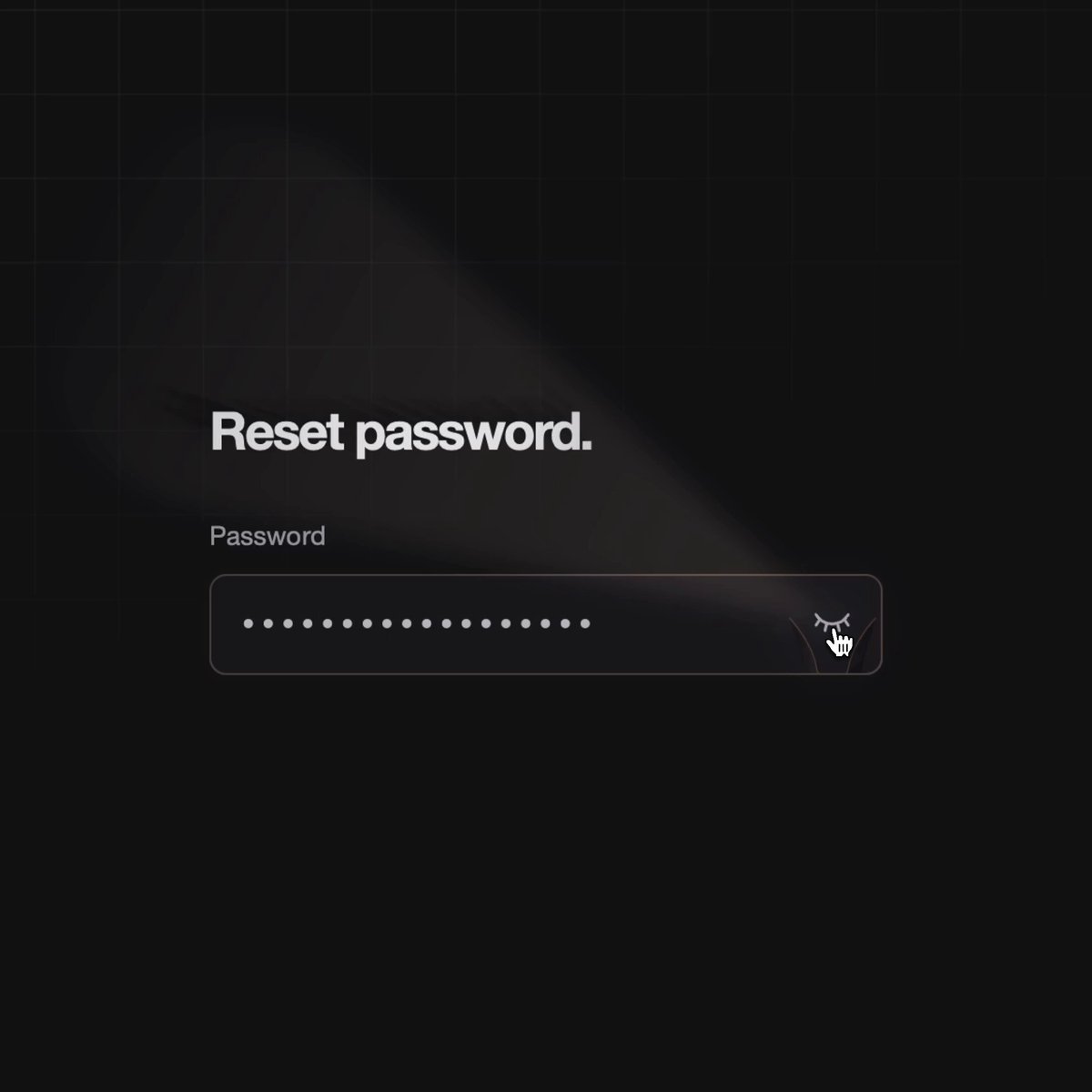
A dark reset-password form where the reveal toggle is a glowing eye at the end of the input. Activating it casts a cone of warm light across the field; characters inside the beam become visible while the rest stays masked, and the beam follows the pointer.

DESIGN SYSTEM
- Background #0B0B0B with a faint grid; title 22px bold #D4D4D4.
- Input #141414, 1px #3A2A1A border, 10px radius, dots #BDBDBD.
- Eye 22px: amber #F59E0B iris with orange #EA580C glow; beam a conic-gradient of rgba(245,158,11,.35) to transparent.

MOTION
- Toggle on: eye opens (scaleY 0.1 to 1, 250ms), beam fades in 300ms.
- Beam angle follows the pointer x over the field, eased (lerp 0.12).
- Characters under the beam swap from dots to letters via a mask; outside stay dots.
- Toggle off: beam collapses into the eye, 200ms.

SECTIONS
- Title.
- Password input with eye button.
- Light beam overlay.

IMPLEMENTATION
- Render the plain text and the dots as two stacked layers; mask the plain layer with the beam cone (CSS mask-image with a conic-gradient driven by a CSS variable).
- Button with aria-pressed and a Show password label.
- prefers-reduced-motion: skip the animation and show the end state.

ADAPT TO THE PROJECT
- Reuse the project's existing tokens, components and fonts; map colors to the closest existing tokens.
- Do not copy logos, brand names, characters or artwork from the reference. Use neutral placeholders.

SUCCESS CHECK
- Only characters inside the beam are readable.
- Keyboard users can toggle and see the whole value (beam widens to full when focused).
- No layout shift between states.