Premi Copia prompt qui sopra, apri il progetto nell'agente e incollalo. Il prompt contiene i link ai fotogrammi originali, così l'agente li guarda prima di costruire.
Mettili uno accanto all'altro. Se qualcosa non torna, di' all'agente cosa esattamente: tempi, dimensioni, colori o spazi.
REFERENCE
- Gallery page: https://magpui.com/en/i/page-that-peels-like-a-stamp-sheet-7705e5
- First frame (image): https://dnioievkvxejjbxgwvko.supabase.co/storage/v1/object/public/media/page-that-peels-like-a-stamp-sheet-7705e5/shot.jpg
- Clip (mp4): https://dnioievkvxejjbxgwvko.supabase.co/storage/v1/object/public/media/page-that-peels-like-a-stamp-sheet-7705e5/clip.mp4
- Original post: https://x.com/jamesvclements/status/2110462126036775335 by @jamesvclements
Before building, download the first frame and look at it. If ffmpeg is available, download the clip and extract frames (ffmpeg -i clip.mp4 -vf fps=2 frame-%02d.png), then study the motion frame by frame. Match what you see; the text below describes it, the frames are the truth.

BUILD
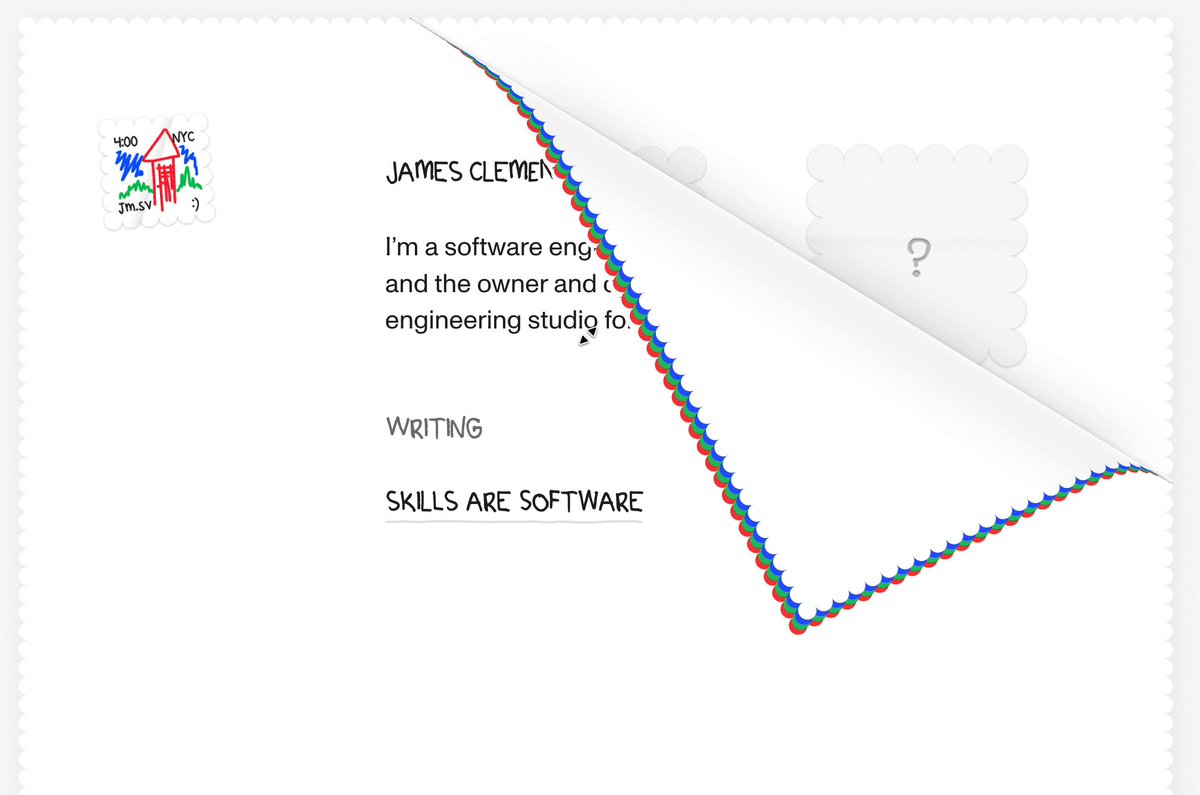
A minimal personal homepage drawn on a sheet of paper with perforated, stamp-like edges striped in red and blue. Grabbing the bottom corner and dragging peels the sheet back along a diagonal fold, showing its white back and a hidden layer below (placeholder stamps). Releasing past the middle completes the peel; otherwise it springs back.

DESIGN SYSTEM
- Background #F6F6F4; sheet white with a 6px perforated edge (radial-gradient holes) and a red/blue zigzag border.
- Hand-drawn small caps headings 13px, body 12px; tiny sketch logo top-left.
- Back side #FAFAFA with a soft gradient shadow along the fold.

MOTION
- Drag the corner: the fold line follows the pointer; the peeled part reflects across the fold (curl), shadow darkens near the fold.
- Release: spring to fully peeled or back (stiffness 220, damping 24).
- Hover on the corner: it lifts 6px as a hint.

SECTIONS
- Front page content, perforated edge, folding corner, back face, layer underneath.
- States: idle, hint, dragging, peeled, returning.

IMPLEMENTATION
- Clip-path polygons for the front and the folded flap, recalculated from the pointer position (fold line = perpendicular bisector between corner and pointer); Motion for the springs.
- Provide a button 'Turn the page' for keyboard users.
- prefers-reduced-motion: swap the motion for a 150ms opacity change.
- Keyboard: every control focusable with a visible focus ring; same actions with Enter/Space and arrow keys where it makes sense.
- Animate only transform, opacity and filter.

ADAPT TO THE PROJECT
Reuse the project's existing design tokens, components and fonts; map colors to the closest existing tokens. Never copy logos, brand names, photos or illustrations from the original: use placeholders.

SUCCESS CHECK
- Dragging the corner peels the page along a straight fold that follows the pointer.
- Releasing snaps it open or closed.
- The keyboard button does the same peel.