REFERENCE
- Gallery page: https://magpui.com/en/i/glass-bubble-toggle-switch-c20cda
- First frame (image): https://dnioievkvxejjbxgwvko.supabase.co/storage/v1/object/public/media/glass-bubble-toggle-switch-c20cda/shot.jpg
- Clip (mp4): https://dnioievkvxejjbxgwvko.supabase.co/storage/v1/object/public/media/glass-bubble-toggle-switch-c20cda/clip.mp4
- Original post: https://x.com/_crisjav/status/2116354391926026454 by @_crisjav
Before building, download the first frame and look at it. If ffmpeg is available, download the clip and extract frames (ffmpeg -i clip.mp4 -vf fps=2 frame-%02d.png), then study the motion frame by frame. Match what you see; the text below describes it, the frames are the truth.

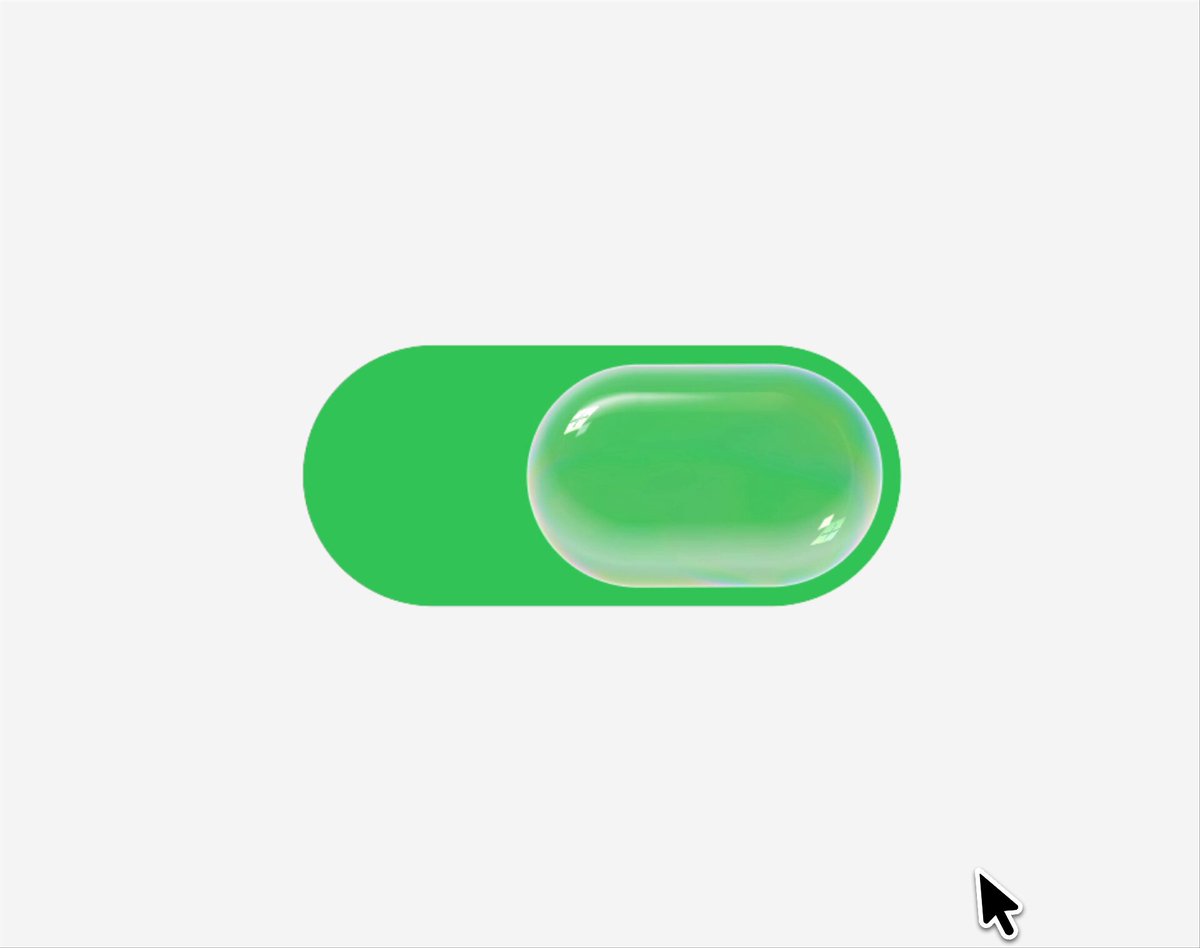
BUILD: Build a toggle switch whose knob is a glass bubble. At rest it looks like a clean pill switch: a green track with a translucent glass pill sitting on it. Pressing or dragging the knob inflates it into a big soft bubble that overflows the track, wobbles like jelly and magnifies/refracts the track behind it, with a faint iridescent rim. On release it slides to the other side, overshoots slightly, and shrinks back into a neat pill while the track color changes. It should feel squishy, satisfying and physical.

DESIGN SYSTEM: Light page #f4f4f4. Track 170x74px, radius 37px; on = #3ed65a, off = #dcdcdc. Knob at rest 100x64px pill (radius 32px), inset 5px, translucent: background rgba(255,255,255,.18) with backdrop-filter blur(2px) saturate(1.4), 1px inner highlight rgba(255,255,255,.8) on the top edge, inner shadow inset 0 -6px 12px rgba(0,0,0,.06), and a thin rainbow rim (conic-gradient of pale pink, mint, lilac at 25% opacity). Pressed knob grows to about 160x100px, extending ~30px beyond the track on each side, with a soft drop shadow 0 14px 30px rgba(0,0,0,.12). The bubble tints with the color under it (green on the on side, milky white on the off side) and a small warm specular highlight (#ffd27a) appears on its right edge.

MOTION: Press: knob scales to 1.6x width / 1.55x height over 260ms cubic-bezier(.34,1.56,.64,1). Wobble while held: scaleX/scaleY oscillate ±4% in opposite phase at about 3Hz. Slide: knob x travels to the other end on a spring (stiffness 260, damping 16, mass 1) so it overshoots ~6px; it stretches 8% in the direction of travel proportionally to velocity. Release: knob shrinks back to rest size over 380ms with a spring (stiffness 300, damping 20). Track color crossfades over 220ms ease-out when the knob passes the midpoint. Refraction: the track area under the knob is shown magnified ~1.15x.

SECTIONS: Parts: track, glass knob, specular highlight, iridescent rim, refraction layer, hidden checkbox. States: off idle, on idle, hover (knob scale 1.04), pressed (bubble), dragging (follows pointer with resistance at the ends), toggling (spring travel), disabled (opacity .4, no bubble), focus-visible.

IMPLEMENTATION: React + Motion for springs and drag; glass via layered CSS (backdrop-filter, gradients, box-shadows) and for real refraction an SVG filter (feDisplacementMap with a radial map) applied to a clone of the track inside the knob, falling back to plain blur where SVG backdrop filters are unsupported. Use a native input type checkbox with role switch underneath for semantics. prefers-reduced-motion: no inflate or wobble, knob slides with a 150ms ease. Keyboard: Space/Enter toggles with a short inflate pulse; focus ring 3px rgba(62,214,90,.45) around the track. Animate transform only.

ADAPT TO THE PROJECT: Reuse the project's existing design tokens, components and fonts; map the green and grays to the closest existing tokens (accent / muted). Never copy logos or brand names from the original; use placeholders.

SUCCESS CHECK:
- Pressing the knob inflates it beyond the track into a wobbly glass bubble that visibly distorts the track behind it.
- Releasing springs it to the other side with a small overshoot, then it returns to a tidy pill and the track color flips.
- Works by keyboard as an accessible switch, and with reduced motion it simply slides.