REFERENCE
- Gallery page: https://magpui.com/en/i/elastic-dots-and-blurred-testimonials-dce709
- First frame (image): https://dnioievkvxejjbxgwvko.supabase.co/storage/v1/object/public/media/elastic-dots-and-blurred-testimonials-dce709/shot.jpg
- Clip (mp4): https://dnioievkvxejjbxgwvko.supabase.co/storage/v1/object/public/media/elastic-dots-and-blurred-testimonials-dce709/clip.mp4
- Original post: https://x.com/vanjek/status/2112142465952018919 by @vanjek
Before building, download the first frame and look at it. If ffmpeg is available, download the clip and extract frames (ffmpeg -i clip.mp4 -vf fps=2 frame-%02d.png), then study the motion frame by frame. Match what you see; the text below describes it, the frames are the truth.

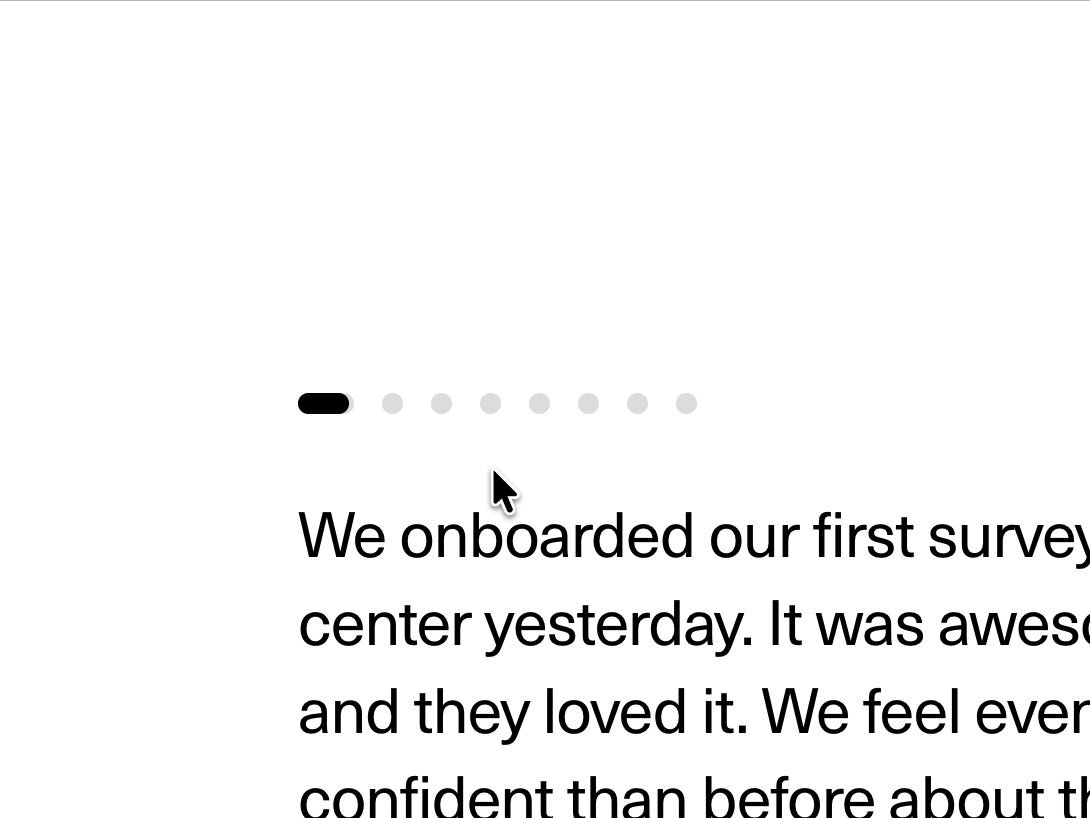
BUILD: Build a compact testimonial pager, not a full landing page. Place a centered client quote above a person attribution and a row of small circular pagination controls. Its defining detail is that a dot subtly stretches toward the nearby pointer, while changing the selected quote briefly blurs the text before the next quote settles into focus.
DESIGN SYSTEM: Use a white #FFFFFF surface, almost-black #151515 quote text and pale gray #D9D9D9 idle dots. Center the content in a roughly 640px max-width region with 32px side padding. Use a neutral sans-serif quote at approximately 26px desktop, 20px mobile, line-height 1.3; attribution text is approximately 13px. Separate the quote, attribution and pager with 24px and 28px spacing. The reference has a compact row of approximately eight dots: use an 8px base diameter, 10-12px visible gap, and the darkest fill for the selected dot. Give each visual dot a larger invisible 32px minimum hit area, 44px on coarse pointers. Keep the component borderless with no enclosing card, gradient or decorative shadow. If attribution includes a tiny portrait, use an existing project avatar or initials placeholder.
MOTION: On pointer proximity, deform only the nearest dot toward the pointer: increase its horizontal length from about 8px to a maximum of 18px, slightly translate it by at most 4px, and retain rounded ends. Settle in 180ms with cubic-bezier(0.22,1,0.36,1); return to circular form over 220ms when the pointer leaves. On activation, transition the outgoing quote from opacity 1 to 0 with filter blur(0px) to blur(6px) and a 6px horizontal shift over 160ms, cubic-bezier(0.4,0,1,1). Bring in the next quote from blur(6px), opacity 0 and a reversed 6px shift over 260ms with cubic-bezier(0.22,1,0.36,1), starting after 100ms. Update attribution with a matching short fade. Fade selected-dot color over 150ms. These timings are suggested rebuild targets; preserve the restrained feel rather than adding a large carousel slide.
SECTIONS: Idle: a legible quote, attribution and dot row with one dark selected dot. Hover: the closest dot pulls into a short capsule toward the pointer without moving its hit target or neighboring controls. Pressed: a subtle scale to 0.9, then select that testimonial. Transition: the quote blurs briefly while its replacement resolves into sharp text. Active: the chosen dot stays dark and returns to a circle when the pointer leaves. Keyboard focus: show a crisp visible ring around the hit area, independent of selection.
IMPLEMENTATION: Use React state and Motion from motion/react for quote presence transitions, opacity, blur and dot deformation. Use transform scaling and translation for the dots rather than changing row layout. Clamp pointer influence to the local dot hit area and update with motion values to avoid rerendering the quote on every pointermove. Preallocate a stable quote region based on the longest item, while allowing responsive natural height on mobile. Use real buttons with labels such as Show testimonial 3 of 8 and aria-pressed; support normal Tab, Enter and Space activation and optional arrow-key navigation. Do not autoplay. For prefers-reduced-motion remove blur, translation and magnetic deformation and replace text immediately or with a short opacity fade. Limit blur to outgoing and incoming quote nodes, and handle rapid repeated clicks without queuing old transitions.
ADAPT TO THE PROJECT: Reuse the existing project's components, tokens and font family. Map these estimated colors to the nearest existing tokens. Never copy logos, brand names, photos or illustrations from the source; use placeholder testimonials and existing project avatars or initials.
SUCCESS CHECK:
- Hovering a dot stretches it toward the pointer without shifting adjacent controls or changing the selected quote.
- Selecting another dot changes quote and attribution through one brief blur transition with no container jump or overlapping readable text.
- Every testimonial is reachable with keyboard and touch, focus remains visible, and reduced-motion mode removes blur and elastic movement.