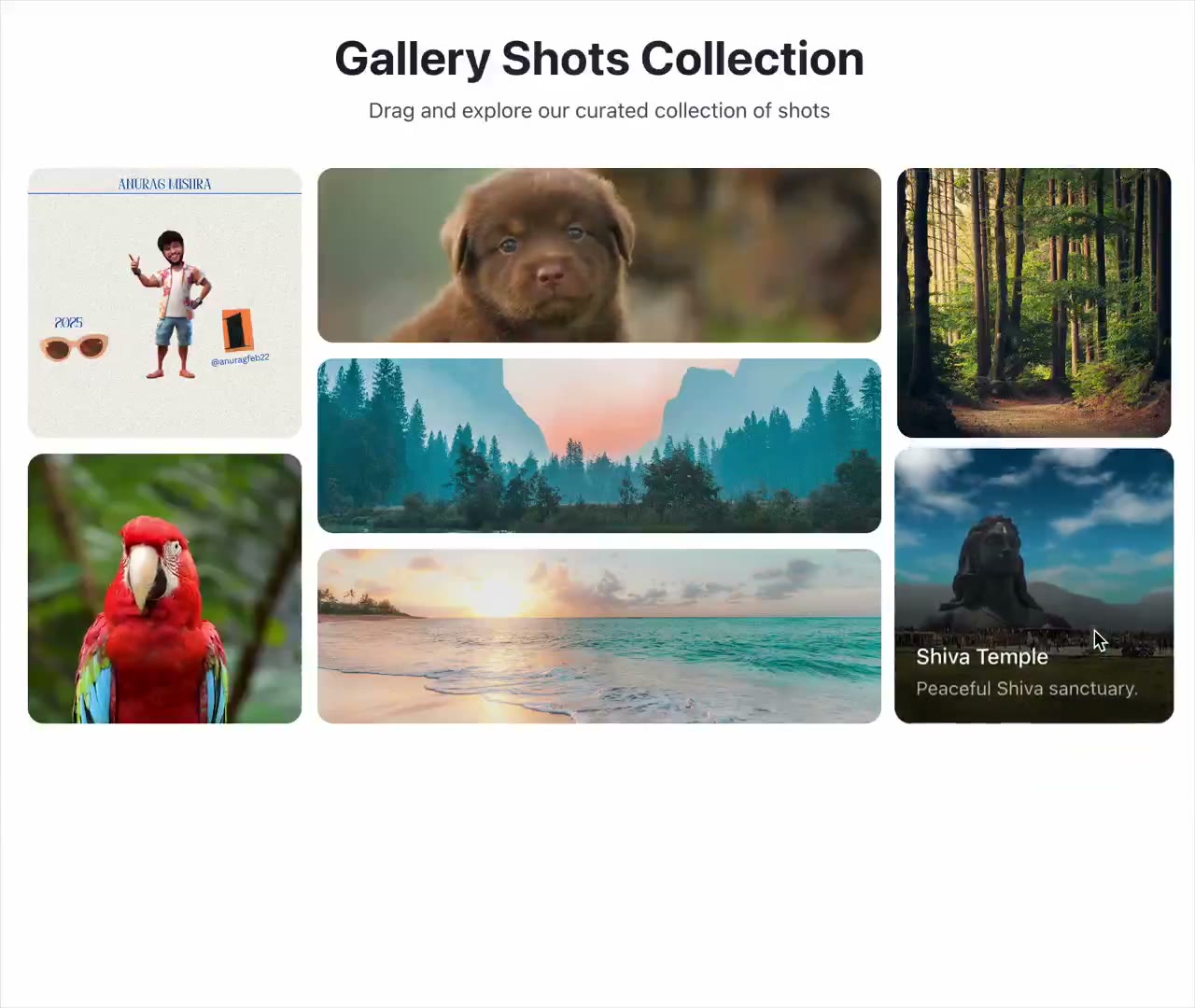
REFERENCE
- Gallery page: https://magpui.com/en/i/bento-gallery-that-opens-a-viewer-3f7d23
- First frame (image): https://dnioievkvxejjbxgwvko.supabase.co/storage/v1/object/public/media/bento-gallery-that-opens-a-viewer-3f7d23/shot.jpg
- Clip (mp4): https://dnioievkvxejjbxgwvko.supabase.co/storage/v1/object/public/media/bento-gallery-that-opens-a-viewer-3f7d23/clip.mp4
- Original post: https://21st.dev/@anurag-mishra22/components/interactive-bento-gallery by Anurag Mishra
Before building, download the first frame and look at it. If ffmpeg is available, download the clip and extract frames (ffmpeg -i clip.mp4 -vf fps=2 frame-%02d.png), then study the motion frame by frame. Match what you see; the text below describes it, the frames are the truth.

BUILD
A 'Gallery Shots Collection' bento grid with tiles of different sizes. Tiles can be dragged to reorder. Clicking a tile expands it from its spot into a large centered viewer with title and caption, the page behind blurs, and a dock of thumbnails at the bottom lets you jump between photos.

DESIGN SYSTEM
- Page #FAFAFA; title 20px semibold centered, subtitle 12px #777.
- Grid 3 columns, gap 8px, tiles radius 10px with caption on hover (12px white on a dark gradient).
- Viewer: image radius 14px, max 900px wide; thumbnail dock white pill with 36px thumbs, active one scaled 1.15.

MOTION
- Open: shared element transition from tile to viewer (layoutId), 450ms spring; background blur 0 to 12px and dim.
- Thumbnails: hover scale 1.1, click crossfades the viewer image 250ms.
- Drag in grid: tile lifts (scale 1.03, shadow) and others reflow with layout animation.

SECTIONS
- Header, bento grid, viewer overlay, thumbnail dock, close button.
- States: grid, dragging, viewer open, switching photo.

IMPLEMENTATION
- Motion layout animations and layoutId; Reorder or dnd-kit for dragging. Esc closes, arrow keys switch photos, focus is trapped in the viewer.
- prefers-reduced-motion: swap the motion for a 150ms opacity change.
- Keyboard: every control focusable with a visible focus ring; same actions with Enter/Space and arrow keys where it makes sense.
- Animate only transform, opacity and filter.

ADAPT TO THE PROJECT
Reuse the project's existing design tokens, components and fonts; map colors to the closest existing tokens. Never copy logos, brand names, photos or illustrations from the original: use placeholders.

SUCCESS CHECK
- A tile grows into the viewer from its own position and returns there on close.
- Arrow keys change photo in the viewer.
- Reordering keeps the grid without gaps.