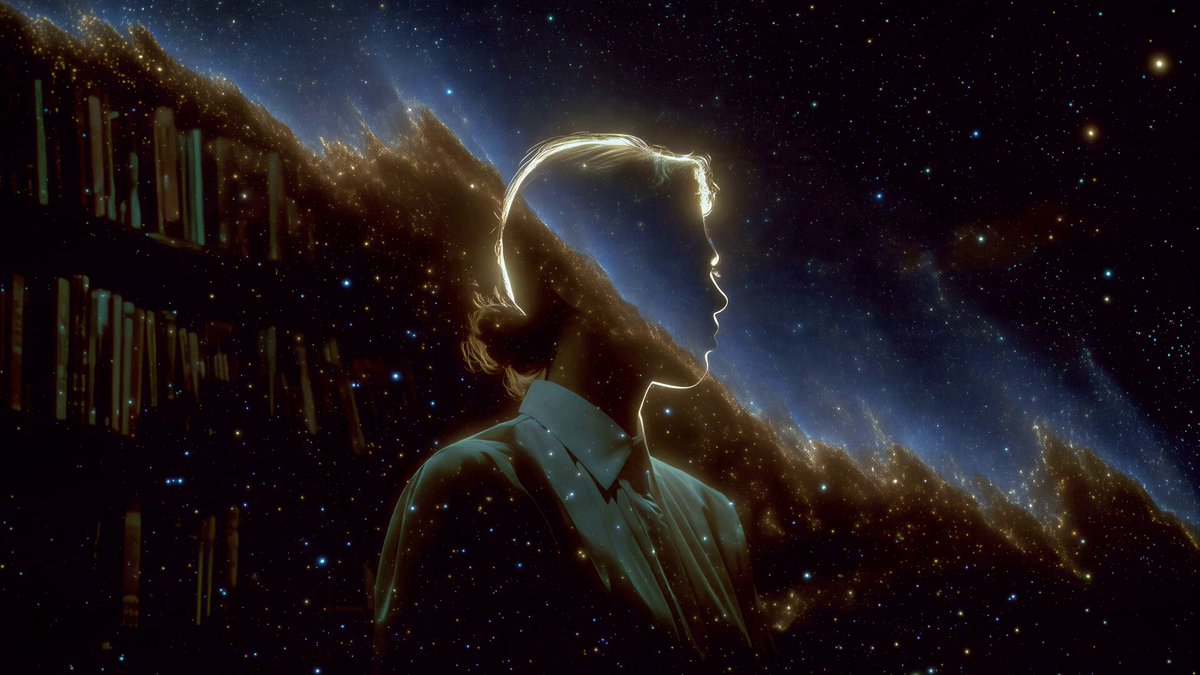
Hit Copy prompt above, open your project in the agent and paste it. The prompt links the original frames, so the agent can look at them before building.
Put the two side by side. If something is off, tell the agent exactly what: timing, size, color or spacing.
REFERENCE
- Gallery page: https://magpui.com/en/i/silhouette-gazing-into-a-nebula-c1d21b
- First frame (image): https://dnioievkvxejjbxgwvko.supabase.co/storage/v1/object/public/media/silhouette-gazing-into-a-nebula-c1d21b/shot.jpg
- Clip (mp4): https://dnioievkvxejjbxgwvko.supabase.co/storage/v1/object/public/media/silhouette-gazing-into-a-nebula-c1d21b/clip.mp4
- Original post: https://x.com/apostraphi/status/2109786939620815067 by @apostraphi
Before building, download the first frame and look at it. If ffmpeg is available, download the clip and extract frames (ffmpeg -i clip.mp4 -vf fps=2 frame-%02d.png), then study the motion frame by frame. Match what you see; the text below describes it, the frames are the truth.

Cinematic illustration, 16:9. Profile view of a young man in silhouette, his outline traced by a thin warm golden rim light, gazing at an immense nebula of rust orange and deep blue clouds with dense stars. On the left edge, tall dark bookshelves fade into the cosmos as if the library opens onto space. Painterly realism, soft film grain, deep blacks, quiet awe. For animation: slow drift of the nebula clouds and gentle twinkle of stars, figure still, seamless 6 second loop. No text.
