REFERENCE
- Gallery page: https://magpui.com/en/i/pixel-mascot-halloween-costume-swap-b598e0
- First frame (image): https://dnioievkvxejjbxgwvko.supabase.co/storage/v1/object/public/media/pixel-mascot-halloween-costume-swap-b598e0/shot.jpg
- Clip (mp4): https://dnioievkvxejjbxgwvko.supabase.co/storage/v1/object/public/media/pixel-mascot-halloween-costume-swap-b598e0/clip.mp4
- Original post: https://x.com/evilrabbit_/status/2115922658089111996 by @evilrabbit_
Before building, download the first frame and look at it. If ffmpeg is available, download the clip and extract frames (ffmpeg -i clip.mp4 -vf fps=2 frame-%02d.png), then study the motion frame by frame. Match what you see; the text below describes it, the frames are the truth.

BUILD: Build a playful pixel-art mascot that changes Halloween costume on every click. The mascot is a small square app window with three tiny dots in its title bar and a dark screen showing two pixel eyes. Each click dresses it as the next character, built from the same pixel grid. It should feel like a cute seasonal easter egg.

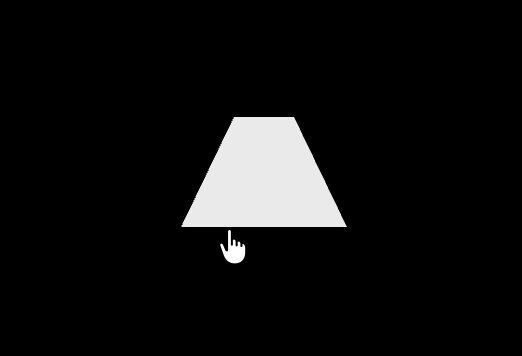
DESIGN SYSTEM: Pure black stage (#000000), mascot centered, about 96x96px on a 16x16 pixel grid (6px cells), crisp pixel edges. Base window: rounded-square body with a top bar of three dark squares and a dark inner screen (#1a1210) with two vertical white or yellow eye bars (#f5f5f5 or #f2c94c). Costumes: witch (purple body #7b4fc4, tall purple hat with a gold buckle #d9a520), werewolf (brown body #8a5232 with jagged fur spikes around the edges and pointed ears), black cat (charcoal body #2c2c33, pink inner ears #e889b0, white whiskers), pumpkin (orange body #e8692a with a green stem and leaf #4a9a3a). Optional plain state: a white pixel triangle.

MOTION: Click: current costume pixels pop out (scale 1 to 0, 120ms, stagger 4ms from the click point outward, cubic-bezier(0.4,0,1,1)), body squashes to scaleY 0.9 for 80ms, then new costume pixels pop in (scale 0 to 1, 160ms, same stagger, cubic-bezier(0.34,1.56,0.64,1)). Idle per costume: eyes blink every 3-4s (scaleY to 0.1 for 90ms); hat tip sways ±4deg over 2s; fur spikes jitter by one pixel; cat whiskers twitch; pumpkin leaf wiggles. Hover: mascot lifts 2px and eyes look toward the cursor by one pixel.

SECTIONS: Parts: window body, title bar dots, screen, eyes, costume layer (hat, ears, fur, whiskers, stem). States: idle, hover, pressed (scale 0.96), swapping, each costume.

IMPLEMENTATION: React + Tailwind + Motion. Draw each costume as a pixel map (array of rows with color keys) rendered to SVG rects with shape-rendering crispEdges, so the swap can animate individual cells. The mascot is a real button with an aria-label and an aria-live region announcing the costume name; Enter and Space also cycle. prefers-reduced-motion: instant swap, no idle loops. Keep cell count under 400 and animate only transform and opacity.

ADAPT TO THE PROJECT: Reuse the project's existing design tokens, components and fonts; map colors to the closest existing tokens; never copy logos, brand names, photos or illustrations from the original; use your own mascot shape.

SUCCESS CHECK:
- Each click or keypress cycles to the next costume with a pixel pop-out and pop-in.
- Every costume has its own small idle loop and the eyes blink.
- With reduced motion the costumes swap instantly and nothing loops.