REFERENCE
- Gallery page: https://magpui.com/en/i/pinned-scroll-feature-panel-008039
- First frame (image): https://dnioievkvxejjbxgwvko.supabase.co/storage/v1/object/public/media/pinned-scroll-feature-panel-008039/shot.jpg
- Clip (mp4): https://dnioievkvxejjbxgwvko.supabase.co/storage/v1/object/public/media/pinned-scroll-feature-panel-008039/clip.mp4
- Original post: https://x.com/details_so/status/2097580890956140590 by @details_so
Before building, download the first frame and look at it. If ffmpeg is available, download the clip and extract frames (ffmpeg -i clip.mp4 -vf fps=2 frame-%02d.png), then study the motion frame by frame. Match what you see; the text below describes it, the frames are the truth.

BUILD
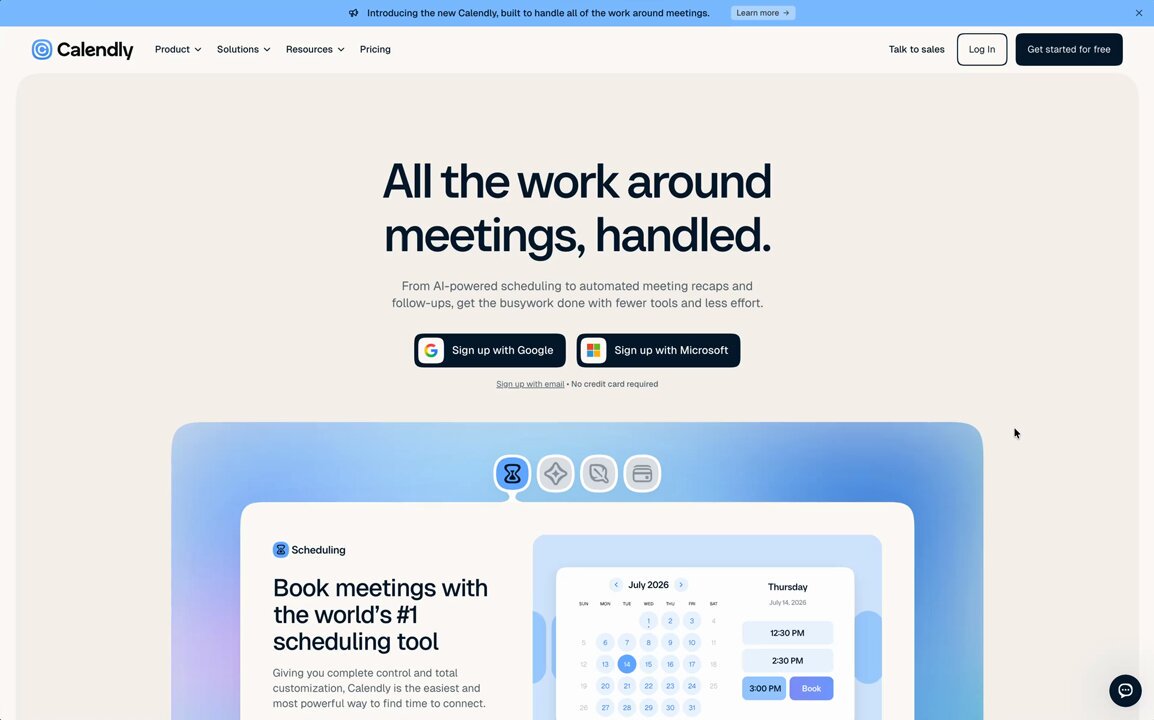
A scroll section where a white feature panel stays pinned in the middle of a vivid gradient background, with a small icon tab bar above it. Scrolling swaps the panel content between four features; the gradient shifts hue with each one.

DESIGN SYSTEM
- Gradient background from #3B82F6 to #A855F7 with a soft noise; panel white, 20px radius, 900x420, shadow 0 30px 80px rgba(0,0,0,.18).
- Tab icons 28px, active one with a small white ring.

MOTION
- Pin for 4 x 100vh with GSAP ScrollTrigger; each segment crossfades content with blur 6px and 24px slide, 400ms.
- Background hue rotates 20deg per segment.
- Active tab indicator slides between icons.

SECTIONS
- Tab bar.
- Pinned panel with text left and visual right.

IMPLEMENTATION
- GSAP ScrollTrigger pin with snap to segments; on mobile, no pin: stack the four panels.
- prefers-reduced-motion: skip the animation and show the end state.

ADAPT TO THE PROJECT
- Reuse the project's existing tokens, components and fonts; map colors to the closest existing tokens.
- Do not copy logos, brand names, characters or artwork from the reference. Use neutral placeholders.

SUCCESS CHECK
- Content never overlaps mid-transition.
- Scrolling back reverses correctly.
- Mobile shows all four features without pinning.