REFERENCE
- Gallery page: https://magpui.com/en/i/crt-monitor-portfolio-gallery-f5ad2d
- First frame (image): https://dnioievkvxejjbxgwvko.supabase.co/storage/v1/object/public/media/crt-monitor-portfolio-gallery-f5ad2d/shot.jpg
- Clip (mp4): https://dnioievkvxejjbxgwvko.supabase.co/storage/v1/object/public/media/crt-monitor-portfolio-gallery-f5ad2d/clip.mp4
- Original post: https://x.com/prekesh/status/2109617342846025951 by @prekesh
Before building, download the first frame and look at it. If ffmpeg is available, download the clip and extract frames (ffmpeg -i clip.mp4 -vf fps=2 frame-%02d.png), then study the motion frame by frame. Match what you see; the text below describes it, the frames are the truth.

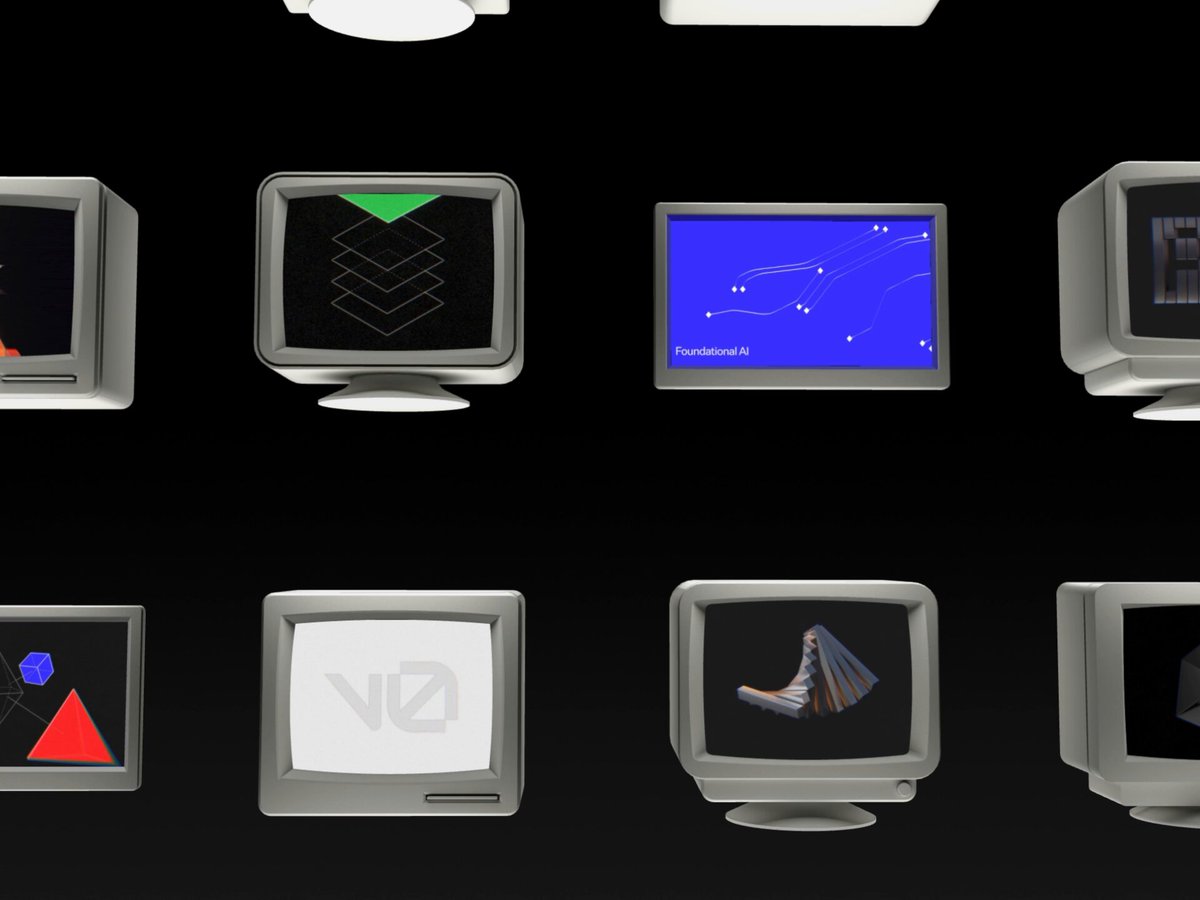
BUILD: Build a standalone portfolio gallery on a black field. Present work inside assorted chunky gray CRT monitors, initially arranged in a dense grid. Selecting a project brings a large monitor forward while the remaining collection fades into the background. Project detail compositions combine artwork with tilted capsule labels and a prominent circular close button. Recreate the gallery and its transitions only, not an invented full landing page.

DESIGN SYSTEM: Use #050505 for the background, #353535 for receding monitors, warm gray #BDBDB2 for highlighted casings, and off-white #F4F4EE for labels. At desktop widths, show roughly three to four monitor columns with 24–48px gaps and partially cropped edge items. Each monitor has a thick rounded bezel, a slightly curved dark screen, a deep body, and either a pedestal stand or compact computer base. Vary the casing geometry across projects. The active monitor occupies about 55–70% of the gallery height. Keep typography out of the 3D scene except project thumbnails. Detail labels use a narrow uppercase sans serif around 16–20px, 10px horizontal padding, and 10–16px corner radii, rotated about -35 to -55 degrees. Use a 48px white close circle with a black X. Artwork remains vivid against the otherwise monochrome setting.

MOTION: On project activation, translate the selected monitor toward the camera and scale its apparent size about 2.0–2.5 times over 900ms using cubic-bezier(0.22,1,0.36,1). Simultaneously dim other monitors to 15–25% brightness over 600ms with cubic-bezier(0.4,0,0.2,1). Reveal the project artwork and tilted metadata after 250ms, animating opacity and a 24px offset over 450ms with cubic-bezier(0.22,1,0.36,1). Reverse the sequence when closing. These are proposed rebuild timings; the reference frames establish the grid, foreground monitor, and detail compositions rather than exact event timing.

SECTIONS: Overview state with a wall of varied monitors; active state with one large screen and a subdued monitor wall; detail state with project artwork, a filled title capsule, outlined category capsule, compact year capsule, and circular close control. Screen content can include simple colored geometric studies, a wireframe poster, a pixel-art emblem, or a decorative gold line composition, all original placeholders.

IMPLEMENTATION: Use Three.js for beveled monitor geometry, perspective depth, and screen textures. Use GSAP to synchronize camera/object transforms with DOM label transitions. Build the monitor bodies procedurally; no external 3D assets are required. Use original SVG or canvas placeholders for the screen artwork. Cap pixel ratio at 1.5, share materials and geometry where possible, and render on demand outside transitions. Keep a semantic DOM project list synchronized with the canvas; Enter opens a project, Escape closes, and focus returns to the trigger. Visible focus rings must remain above the canvas. Reduced motion uses instant state changes without zooming.

ADAPT TO THE PROJECT: Reuse the project's tokens, components, and fonts. Map colors to the closest existing tokens. Never copy logos, brand names, photos, illustrations, or project artwork from the source; use original placeholders.

SUCCESS CHECK:
- The overview reads as a physical collection of varied retro monitors, not flat thumbnail cards.
- Opening a project keeps its screen crisp and bright while the other monitors visibly recede.
- Project labels and close controls remain readable, keyboard-accessible, and usable without animation.