REFERENCE
- Gallery page: https://magpui.com/en/i/buttons-with-tiny-faces-994fd6
- First frame (image): https://dnioievkvxejjbxgwvko.supabase.co/storage/v1/object/public/media/buttons-with-tiny-faces-994fd6/shot.jpg
- Clip (mp4): https://dnioievkvxejjbxgwvko.supabase.co/storage/v1/object/public/media/buttons-with-tiny-faces-994fd6/clip.mp4
- Original post: https://x.com/aleksksaa/status/2112919472533344552 by @aleksksaa
Before building, download the first frame and look at it. If ffmpeg is available, download the clip and extract frames (ffmpeg -i clip.mp4 -vf fps=2 frame-%02d.png), then study the motion frame by frame. Match what you see; the text below describes it, the frames are the truth.

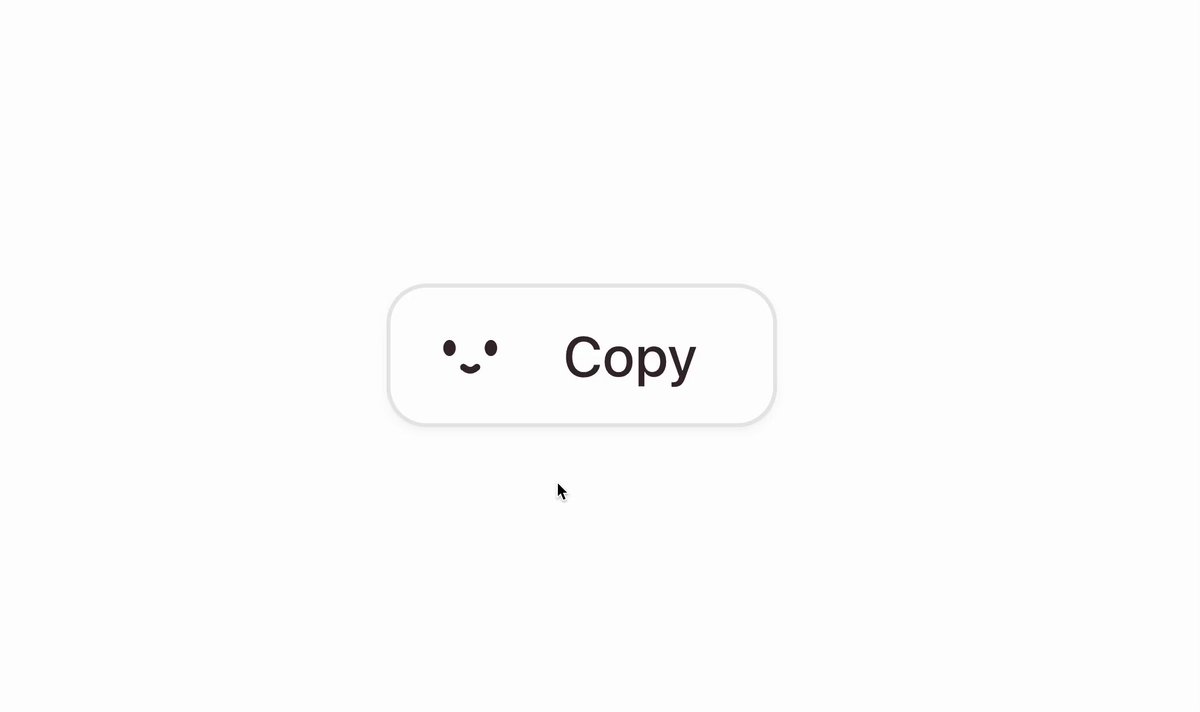
BUILD: Build a compact action button with a tiny dot-eyed smiling face to the left of its label. Show Copy, Send and Save variants with restrained pastel state feedback. Keep the scope to the button, not a landing page.
DESIGN SYSTEM: Use an approximately 144 by 56px button with 15px rounded corners, 18px horizontal padding, a 20px face and a 12px gap before a 22px regular sans-serif label. Estimate colors as white #FFFFFF, charcoal #303436, neutral gray #E8E8E8, pale blue #DCEBFC and faint green #E6EDE5. Copy has a fine gray border and a subtle low shadow; other variants use flat tinted surfaces. Draw the face with two small circular eyes and a curved mouth in SVG.
MOTION: Suggested reconstruction timings: on hover change surface over 140ms with cubic-bezier(0.2,0,0,1); on press scale to 0.97 over 90ms then return over 180ms with cubic-bezier(0.2,0.8,0.2,1). On successful send, crossfade Send to Sent and neutral fill to blue over 220ms, cubic-bezier(0.22,1,0.36,1). For save, transition gray to soft green over 220ms. Keep the face anchored during label changes; interpolate only small mouth variations over 180ms.
SECTIONS: Parts are semantic button, decorative inline face and text label. States: idle Copy with white surface, neutral Send, confirmed Sent with pale blue surface, neutral Save and green confirmation. Hover and pressed feedback must not shift neighboring content. Success must follow a real completed action, never an arbitrary timer.
IMPLEMENTATION: Use React and Motion for keyed text transitions and SVG mouth interpolation; CSS handles surface colors and focus. Use an inline SVG rather than an image asset. Give the button a clear accessible label, support Enter and Space, retain a visible 2px focus ring and announce success politely. Under prefers-reduced-motion replace animated transforms with instant state updates. Animate only opacity and transforms where possible; no continuous idle loop.
ADAPT TO THE PROJECT: Reuse the project's existing design tokens, components and fonts; map colors to the closest existing tokens. Never copy logos, brand names, photos or illustrations from the original; use placeholders if needed.
SUCCESS CHECK:
- The face and label remain aligned across Copy, Send, Sent and Save states.
- Success color and text update together without moving adjacent content.
- Keyboard activation, visible focus and reduced-motion behavior all work.