REFERENCE
- Gallery page: https://magpui.com/en/i/bending-before-after-compare-slider-8d6219
- First frame (image): https://dnioievkvxejjbxgwvko.supabase.co/storage/v1/object/public/media/bending-before-after-compare-slider-8d6219/shot.jpg
- Clip (mp4): https://dnioievkvxejjbxgwvko.supabase.co/storage/v1/object/public/media/bending-before-after-compare-slider-8d6219/clip.mp4
- Original post: https://ui.aceternity.com/interactions/compare-slider by Manu Arora (@mannupaaji)
Before building, download the first frame and look at it. If ffmpeg is available, download the clip and extract frames (ffmpeg -i clip.mp4 -vf fps=2 frame-%02d.png), then study the motion frame by frame. Match what you see; the text below describes it, the frames are the truth.

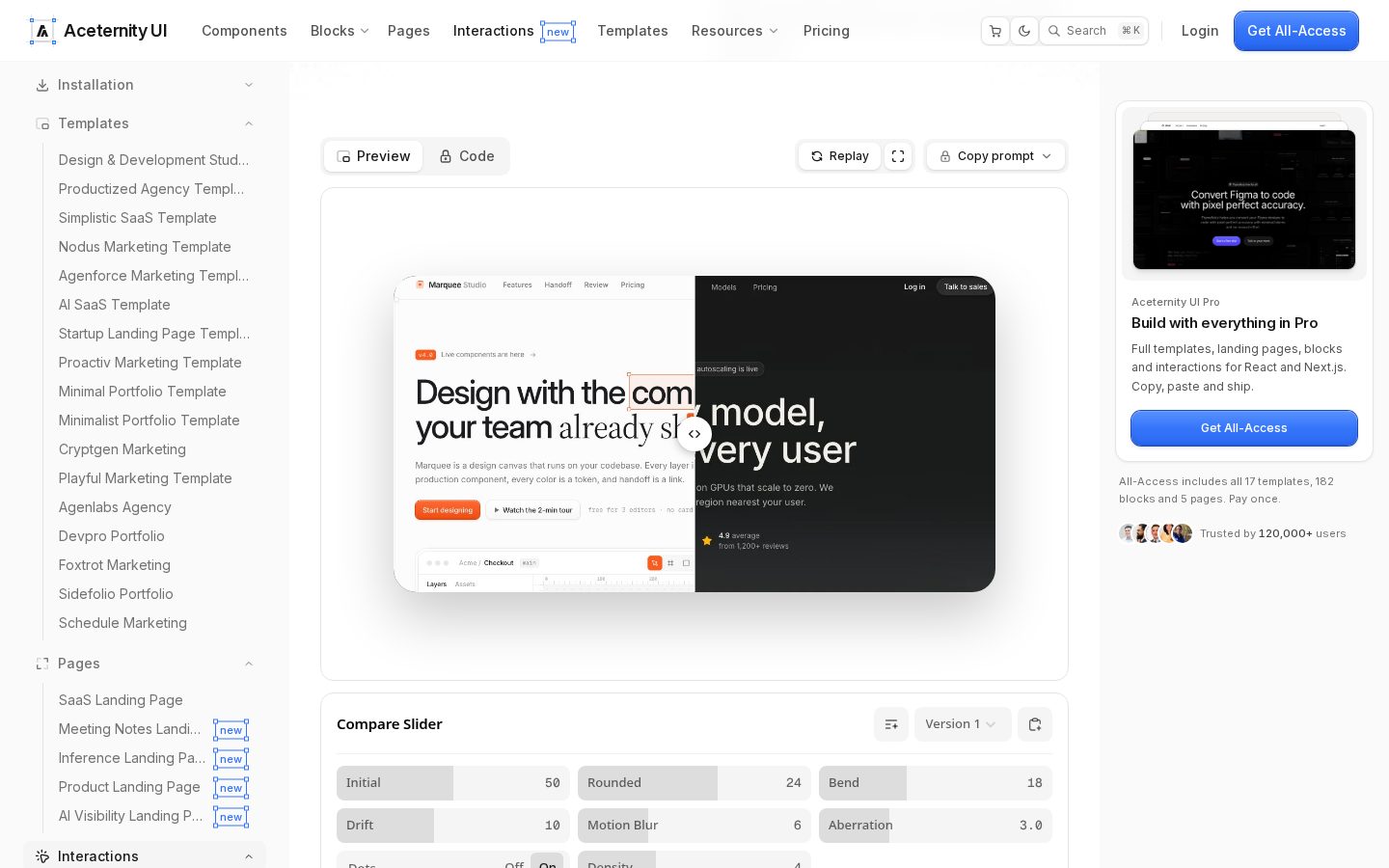
BUILD: Build a self-contained before/after compare slider (~720×380, radius 24px) that reveals a light UI on the left and a dark UI on the right. Dragging the handle should feel physical: the vertical divider bows toward the drag direction (elastic bend), the side you move into slides with a short motion blur, a slight RGB chromatic aberration fringes the edge, and fine white dots can spray off the handle. Idle state sits at 50%. It should feel like wiping a flexible membrane, not a hard clip path.

DESIGN SYSTEM: Preview on a soft gray #f4f4f5 canvas. Slider card: overflow hidden, radius 24px, soft shadow 0 24px 60px rgba(0,0,0,0.12). Left panel: white #ffffff, near-black type #111, small orange pill CTA #f97316. Right panel: charcoal #0a0a0a, white type, muted gray body. Handle: 40px white circle, 1px #e5e5e5 border, soft shadow, centered chevrons ‹ › in #111. Divider: 2px white line through the handle. Controls under the demo (optional for rebuild): Initial 50, Bend ~10–18, Motion Blur ~5–6, Rounded 24, Aberration ~3, Dots toggle.

MOTION: On pointer drag: map x to progress 0–1 with spring stiffness ~300, damping ~30. Bend: warp the clip edge as a quadratic curve whose apex follows drag velocity (max bend ~18px), settle back to a straight line in ~280ms cubic-bezier(0.22, 1, 0.36, 1) on release. Motion blur: briefly skew/blur the entering panel ~5px along X for 80–120ms while velocity > threshold. Aberration: offset R/B channels ±2–3px on the edge while moving. Dots (if on): emit 8–14 particles from the handle with outward velocity, fade in 400ms. Replay button resets to Initial over 500ms. prefers-reduced-motion: hard clip, no bend/blur/particles.

SECTIONS: (1) Preview frame. (2) Dual layered panels (light/dark placeholders). (3) Draggable handle + divider. (4) Optional param row.

IMPLEMENTATION: React + Motion (or CSS + WAAPI). Prefer a canvas/SVG displacement or CSS filter + clip-path for the bend; keep DOM panels for content. Keyboard: left/right arrows nudge 5%. Focus ring on handle. Cap particle count; pause when offscreen.

ADAPT TO THE PROJECT: Reuse the project's radii, shadows and type. Swap demo panels for the project's own light/dark screenshots or neutral placeholders. Never copy logos or brand copy from the reference.

SUCCESS CHECK:
- Dragging the handle reveals left/right panels with a visible elastic bend while moving.
- Release settles the divider to a straight line without jitter.
- prefers-reduced-motion uses a plain hard wipe.