REFERENCE
- Gallery page: https://magpui.com/en/i/ai-effort-slider-from-low-to-galaxy-261a3b
- First frame (image): https://dnioievkvxejjbxgwvko.supabase.co/storage/v1/object/public/media/ai-effort-slider-from-low-to-galaxy-261a3b/shot.jpg
- Clip (mp4): https://dnioievkvxejjbxgwvko.supabase.co/storage/v1/object/public/media/ai-effort-slider-from-low-to-galaxy-261a3b/clip.mp4
- Original post: https://x.com/ozzyxs1a/status/2107523169649389677 by @ozzyxs1a
Before building, download the first frame and look at it. If ffmpeg is available, download the clip and extract frames (ffmpeg -i clip.mp4 -vf fps=2 frame-%02d.png), then study the motion frame by frame. Match what you see; the text below describes it, the frames are the truth.

BUILD
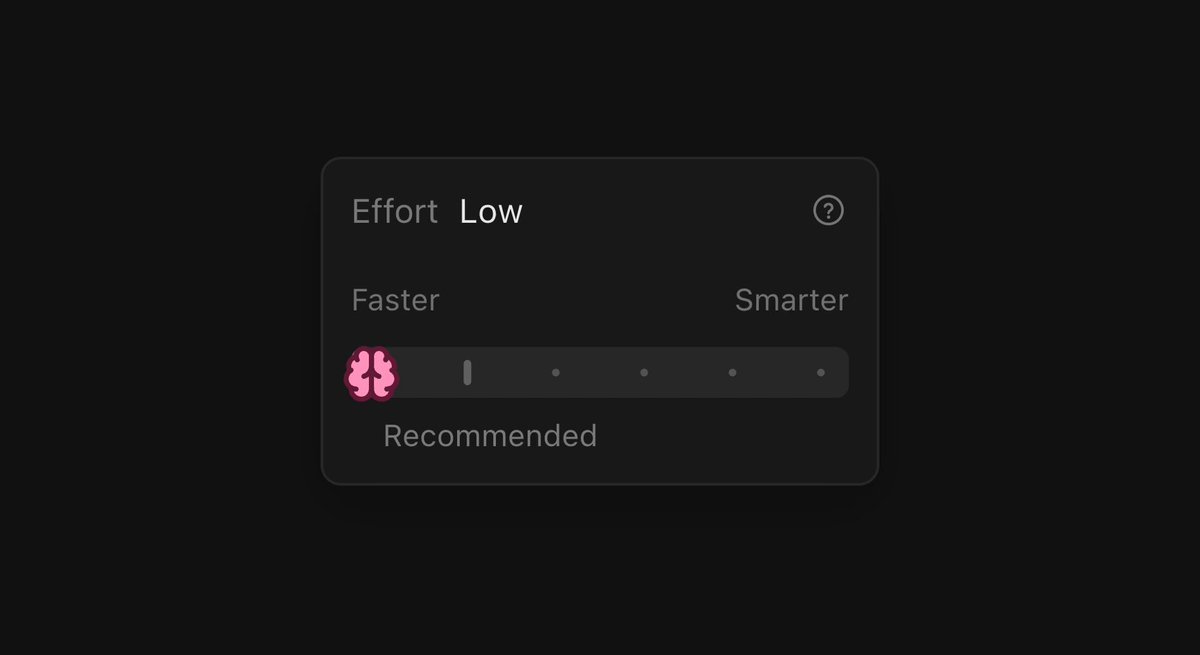
An effort selector for an AI model: a dark card titled Effort with the current level name (Low, Medium, High, Max, Galaxy), Faster and Smarter labels at the ends, and a track that fills with glowing pixel particles; the handle is a brain icon.

DESIGN SYSTEM
- Card #151515, 14px radius, 1px #2A2A2A border; label 13px #8C8C8C, level name #A5B4FC.
- Track 10px tall; pixels 3px squares in violet #8B5CF6, blue #60A5FA, pink #F472B6.

MOTION
- Particle density and brightness scale with the level; pixels twinkle (opacity 0.3 to 1, random 300-900ms).
- Galaxy: the handle emits a burst of 20 pixels that orbit it, plus a soft glow 0 0 24px #8B5CF6.
- Level name changes with a 150ms vertical slide.

SECTIONS
- Header row with level name and help icon.
- Track with particle canvas.
- Recommended hint under the default step.

IMPLEMENTATION
- Discrete steps on a native range input; particles on a small canvas sized to the track.
- prefers-reduced-motion: skip the animation and show the end state.

ADAPT TO THE PROJECT
- Reuse the project's existing tokens, components and fonts; map colors to the closest existing tokens.
- Do not copy logos, brand names, characters or artwork from the reference. Use neutral placeholders.

SUCCESS CHECK
- Each step looks clearly more intense than the previous.
- Keyboard arrows move between steps.
- Particles stop rendering when the card is off screen.