REFERENCE
- Gallery page: https://magpui.com/en/i/absurd-jigsaw-captcha-widget-2287c5
- First frame (image): https://dnioievkvxejjbxgwvko.supabase.co/storage/v1/object/public/media/absurd-jigsaw-captcha-widget-2287c5/shot.jpg
- Clip (mp4): https://dnioievkvxejjbxgwvko.supabase.co/storage/v1/object/public/media/absurd-jigsaw-captcha-widget-2287c5/clip.mp4
- Original post: https://x.com/jh3yy/status/2117769322013814826 by @jh3yy
Before building, download the first frame and look at it. If ffmpeg is available, download the clip and extract frames (ffmpeg -i clip.mp4 -vf fps=2 frame-%02d.png), then study the motion frame by frame. Match what you see; the text below describes it, the frames are the truth.

ASSETS
This needs real artwork, not shapes drawn in code. Use the files the user gives you (ask where they are). If you have an image generation tool, generate them with these prompts; otherwise leave clearly marked placeholders.
- Robot in disguise photo: Street photo of a humanoid robot with a silver metal face disguised as a person, wearing a brown fedora and a beige trench coat, standing on a city sidewalk at dusk, slightly grainy documentary style, muted colors, 4:3 aspect ratio

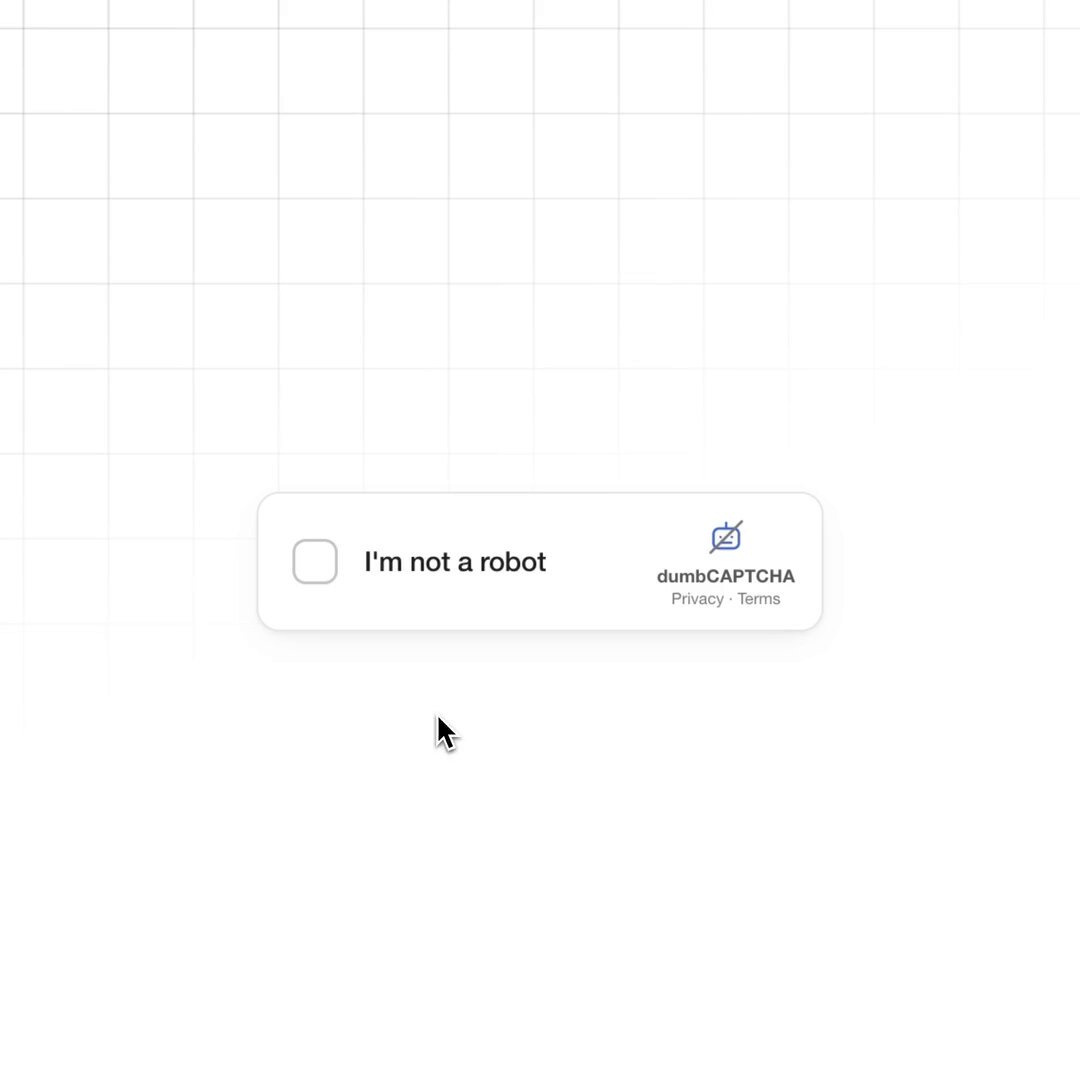
BUILD: A satirical CAPTCHA widget. It starts as the familiar small 'I'm not a robot' box with a checkbox and a tiny logo. Clicking it opens a challenge card: a blue header says 'Drag the piece to complete the image' over a photo of a robot dressed as a person (hat, trench coat), with one jigsaw-shaped hole and its piece next to it. As soon as the user touches the piece, the challenge escalates: the whole photo breaks into a grid of jigsaw pieces that fly out and scatter around the card in 3D, turned at random angles, some face down; the header now says 'Drag the pieces to complete the image. Drag a corner to turn. Double-click to flip.' The user drags, rotates and flips every piece back into place, each snapping in when close. Once complete, Verify turns active, shows a spinner, and the card collapses back to the checkbox box with a red border and 'Verification expired. Check the checkbox again.' Funny, polished and physical.

DESIGN SYSTEM: Stage background very light gray #F4F4F4 with a faint 64px grid of #E6E6E6 lines in perspective. Checkbox box: 300x74px, white, radius 4px, 1px border #D6D6D6, shadow 0 1px 3px rgba(0,0,0,0.12), 24px checkbox with 2px gray border, label 14px sans #222, small logo and 'Privacy - Terms' 8px #777 on the right. Challenge card: 400px wide, white, radius 8px, shadow 0 10px 30px rgba(0,0,0,0.15). Header: blue #4A69D2, 16px padding, white text: small line 13px, big word 26px bold, help line 12px. Photo area 400x300 with a puzzle grid of 4x3 pieces (classic tab and blank edges). Footer: 52px, refresh, audio and info icons #6B6B6B 20px on the left, Verify button 100x36px radius 4px, disabled #E0E0E0 with gray text, active #4A69D2 with white text. Puzzle pieces: photo on the front, a 2px light edge bevel and a soft shadow 0 6px 12px rgba(0,0,0,0.25) while lifted; backs are plain matte beige #D9CFBF. Error state: border 2px #D93025 and red message 12px #D93025 under the box.

MOTION: Checkbox click: the box scales down 0.96 and the challenge card scales from 0.9 and fades in over 250ms cubic-bezier(0.2, 0.8, 0.2, 1). Escalation: pieces burst out from their grid positions with random translation 150-350px, rotateZ -180 to 180deg, rotateX/Y up to 60deg so some show their backs, durations 600-900ms, stagger 25ms, cubic-bezier(0.16, 1, 0.3, 1); the card tilts back into a 3D perspective (rotateX 30deg, perspective 1200px) for the puzzle phase. Drag: a picked piece lifts (scale 1.05, bigger shadow, 120ms) and follows the pointer with slight lag; dragging a corner rotates it around its center; double-click flips it 180deg on Y over 400ms. Snap: within 16px and 10deg of its slot it magnets in over 180ms ease-out with a tiny 1.02 bounce. When complete the card animates back flat (rotateX 0) in 500ms, Verify enables, pressing it shows a spinner for 1.5s, then the card shrinks back into the checkbox box and the red error fades in (200ms).

SECTIONS: Parts: checkbox box, challenge card (header, photo with slot, single piece), full puzzle (scattered pieces, empty grid outline), footer with icons and Verify, error box. States: idle checkbox, challenge single piece, escalated puzzle, dragging, rotating, flipped, snapped, complete, verifying, expired error.

IMPLEMENTATION: React with Motion for drag, springs and layout; pieces are absolutely positioned divs inside a container with CSS perspective, each showing the photo via background-image and background-position, clipped with an SVG clipPath generated from the grid (tabs and blanks), with backface-visibility hidden on front and back faces. Track each piece's x, y, rotation and flipped state; snapping checks distance and angle to the target. Pointer events cover mouse and touch; keyboard: Tab between pieces, arrow keys move, Q/E rotate, F flips, Enter drops. Announce progress (e.g. '7 of 12 placed') in an aria-live region. prefers-reduced-motion: no burst or tilt, pieces fade into a scattered tray. Keep it decorative and clearly a joke, never a real security check.

ADAPT TO THE PROJECT: Reuse the project's existing design tokens, components and fonts; map the blue to the closest primary token. Never copy logos, brand names or the original photo; use a placeholder image and a made-up widget name.

SUCCESS CHECK:
- Clicking the checkbox opens the one-piece challenge, and touching the piece explodes the photo into scattered, rotated, partly flipped jigsaw pieces.
- Pieces can be dragged, rotated from a corner and flipped with double-click, and they snap into their slots.
- Completing the puzzle and pressing Verify spins and then returns the red 'Verification expired' box.